



You can’t buy, trade, or filter your way to 5 star reviews. Google removes reviews it finds were incentivized, and since 2024 the FTC can fine businesses that fake them. The honest way to earn 5 star reviews is to ask every customer for an unfiltered review, make it a one-tap link or QR code, and never offer a reward or screen out unhappy people. This guide gives you the steps, 10 copy-paste scripts, and the exact line between smart and fake.
Why 5 Star Reviews Matter for Ranking and Sales
Reviews help you in two ways. Google says review count and review score factor into local ranking, so more positive reviews can lift your visibility. They also persuade shoppers: Northwestern’s Spiegel Research Center found that a product with five reviews had a 270% greater purchase likelihood than one with none.
Keep that study in perspective. It was published in 2017 and studied online retailers, not local shops, so treat it as a signal, not a promise. The same research found purchase likelihood peaks around 4.0–4.7 stars and dips as ratings near 5.0, because a flawless score can look too good to be true. So when you chase 5 star reviews, chase volume and honesty, not a spotless record. For a feel of what helpful reviews contain, see these good reviews examples.
How to Get Your Google Review Link and QR Code
Google gives you both inside your Business Profile, and setup takes a few minutes.
1. Sign in and open your Business Profile on a computer. Google says QR codes can currently be generated only in a desktop browser.
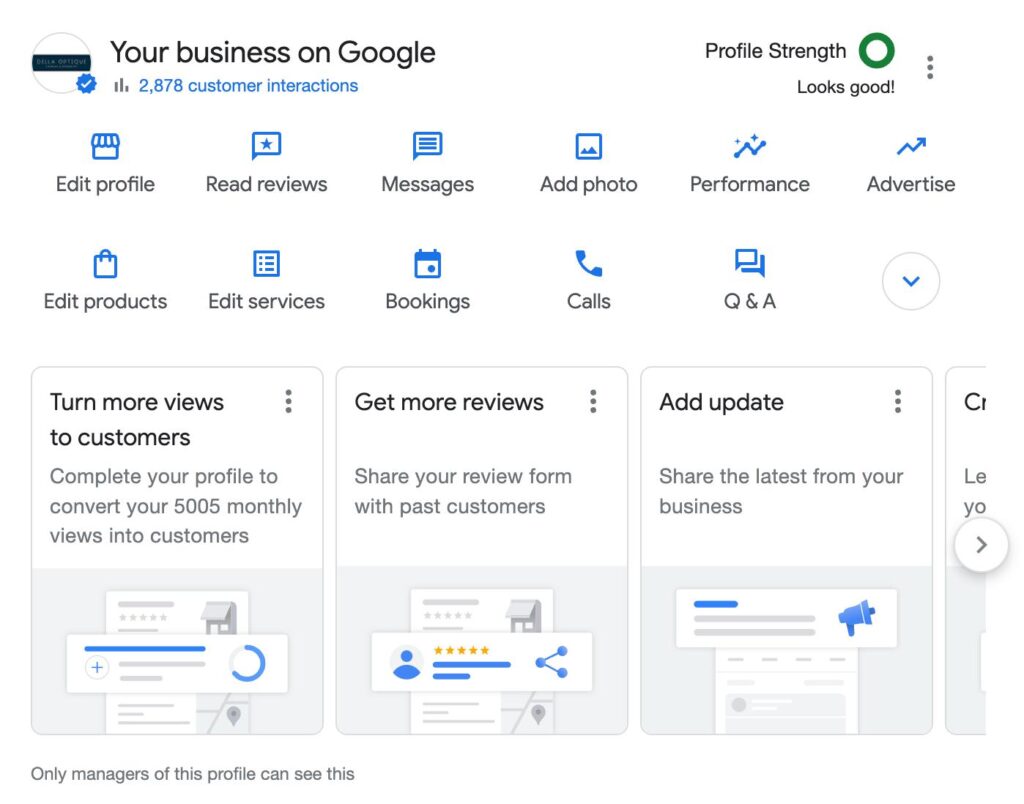
2. Select Read reviews, then Get more reviews.
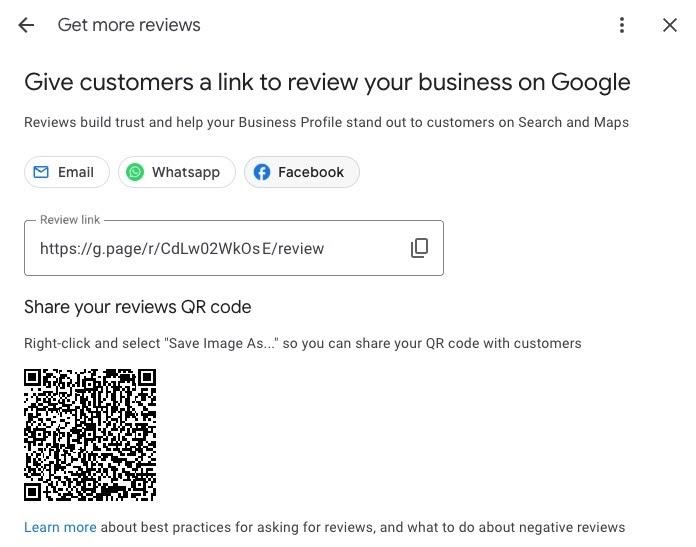
3. Click Copy for the link, or right-click the QR code and choose Save image as.
4. Test the link on your phone. It should open your business’s review form.
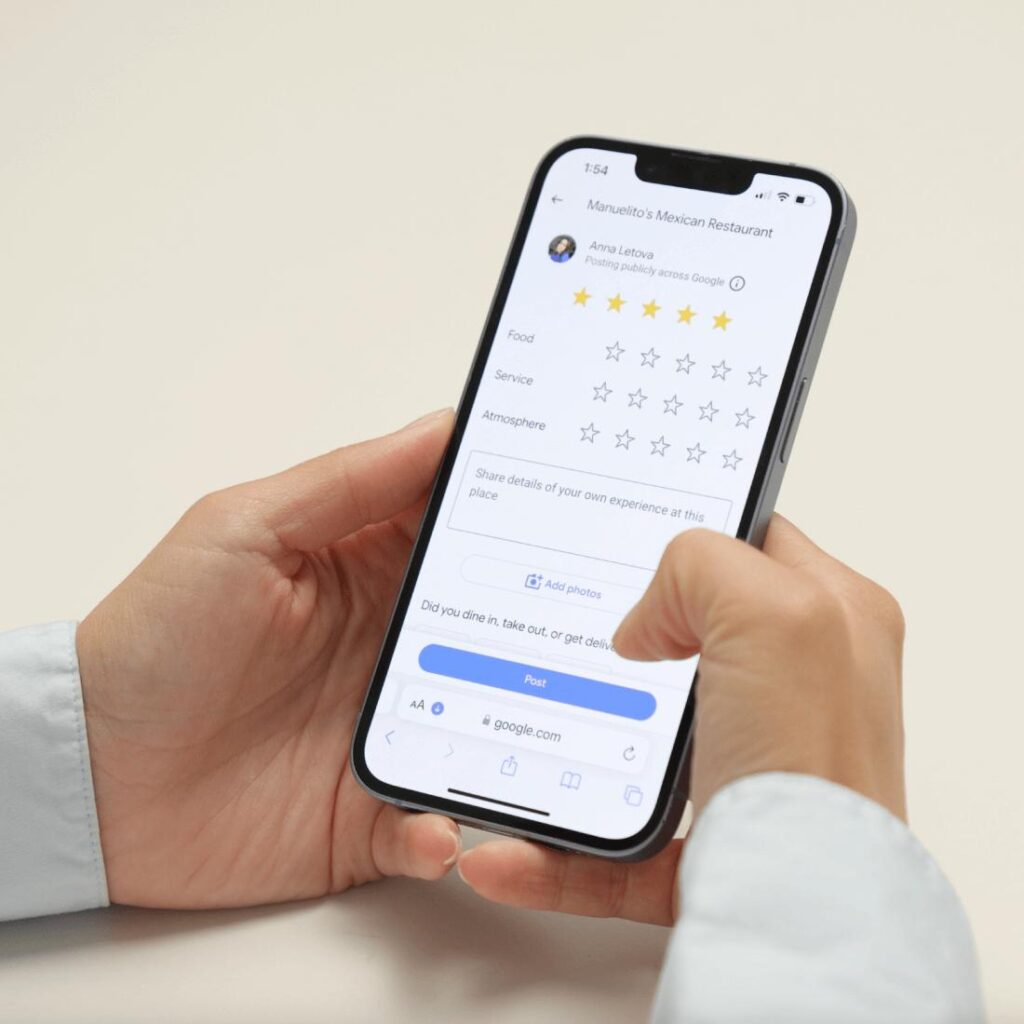
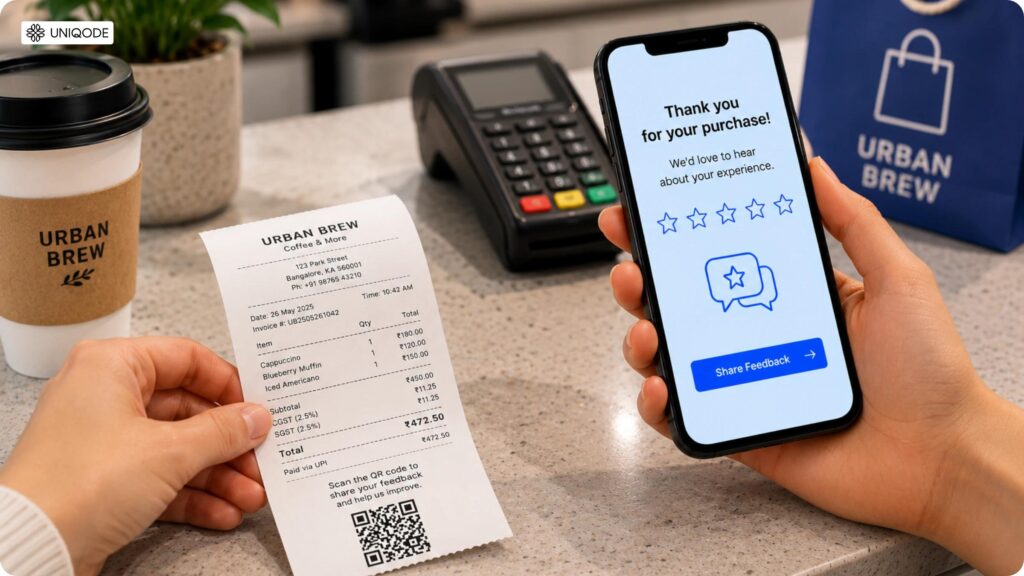
5. Place it where customers already look. Google suggests receipts, thank-you emails, and the end of chats.
Customers who get stuck can follow our guide to “how do you leave a review on google.”
When and How to Ask: 10 Copy-Paste Scripts
Ask right after a finished service, meal, or delivery, while the experience is fresh. Use the same words with every customer. Never mention star counts: Google’s policy bars attempts to influence the rating or the content of a review, so ask for an honest review, not 5 stars.
In person
Text message
Make sure customers have agreed to receive texts before you send any.
Print and chat
Make It Easy: QR Cards, Receipts, and Automated Follow-Up
Friction keeps good 5 star reviews from being written, so remove steps. Put one QR card at checkout, print the link on receipts, and add it to your email signature. Then automate: send one text or email after every visit, plus a single reminder.
One rule matters here. The automation must send the same message to everyone. A tool that sends only happy customers to Google, and unhappy ones to a private form, is review gating.
Reply to Every Review
Reply to praise and complaints alike. Google says replies show you value feedback and can help your business stand out. Follow Google’s guide to managing and replying to reviews.
Customers can edit or delete their own reviews. After you fix a problem, you may invite an update, but never offer anything in return.
Track Review Velocity, Star Rating, and Written-Review Rate
| Metric | What it tells you | How to measure |
|---|---|---|
| Review velocity | How steadily new reviews arrive | New reviews per month |
| Star rating | Overall customer sentiment | Average on your profile |
| Written-review rate | How many reviews include real detail | Reviews with text ÷ all new reviews |
Industry Examples: Salon, Restaurant, and Dental Practice
These are tactics, not client case studies. No results are claimed.
Salon: keep a QR card at the pay station and ask every client at checkout. Clients may add photos of their results, but never script what they say.
Restaurant: print the QR code on receipts or the check folder, so every table gets the same invitation. Don’t set review quotas for servers or ask guests to name them.
Dental practice: ask the same way, but be careful when replying. The HHS Office for Civil Rights resolved a case in December 2022 with a California dental practice over patient information shared in review replies. Never confirm that someone is a patient, even if they say so. A safe reply: “Thank you for your feedback. Privacy rules prevent us from discussing any individual’s care online, but please call our office.” To see what helpful healthcare feedback tends to include, browse these doctor review samples, and don’t hand them to patients to copy.
5 Star Reviews FAQ
Can I offer a discount for a 5 star review?
No. Google bans discounts, payments, and free goods or services in exchange for reviews, and the FTC rule bans buying reviews that depend on the reviewer’s sentiment.
Is it illegal to buy Google reviews?
Buying fake reviews breaks Google’s policy, and the FTC’s 2024 rule lets it seek civil penalties. Ask a lawyer how it applies to you.
Can I ask customers for 5 stars?
No. Ask for an honest review. Google’s policy prohibits trying to influence the rating or content of a review.
How do I get my Google review link?
Open your Business Profile on a computer, select Read reviews, then Get more reviews, and copy the link or save the QR code.
Can customers edit or delete their reviews?
Yes. Customers can edit or delete their own Google Maps reviews. You can reply, and you can report reviews that break Google’s policy.
Do photos in reviews matter?
Photos add proof of a real visit, but Google can remove an entire post if any part violates policy. Don’t ask for specific content.
Earn Reviews You Can Keep
5 star reviews you earn honestly stay up, build trust, and can’t be turned against you. Start small: copy your review link, test it on your phone, and send it to your next customer today.
Sources: Google Business Profile Help: local ranking; Google Maps prohibited and restricted content; Google: review link and QR code; FTC press release, Aug. 2024; Spiegel Research Center, How Online Reviews Influence Sales (2017); PPC Land, Google staff-solicitation update.