



Yelp has no delete button for reviews you didn’t write. Its support pages say that removing user content isn’t something it takes lightly, and that it generally lets reviewers stand behind what they wrote.
You can delete a Yelp review only if you wrote it. If a review is about your business, you can’t delete it, but you can report it, and Yelp’s moderators will remove it only if it breaks Yelp’s Content Guidelines, such as a conflict of interest or content that isn’t about the reviewer’s own experience. Honest negative reviews stay. Below are the steps for both cases, what qualifies, what to do if a report is declined, reply templates, and general legal information. If your problem is on Google, start with how to delete review google.
What You Can and Can’t Do
| You can | You can’t |
|---|---|
| Delete or edit a review you wrote. | Delete a review someone else wrote about your business. |
| Report a review that breaks Yelp’s Content Guidelines. | Get a review removed because it’s harsh, unfair, or low-rated. |
| Reply publicly, or message the reviewer through Yelp. | Pay Yelp, or offer a reviewer anything, to remove a review. |
If It’s Your Own Review: Delete or Edit It
Yelp changes its menus often, so treat these steps as a guide and follow the labels you see. They’re based on third-party guides checked in October 2026.
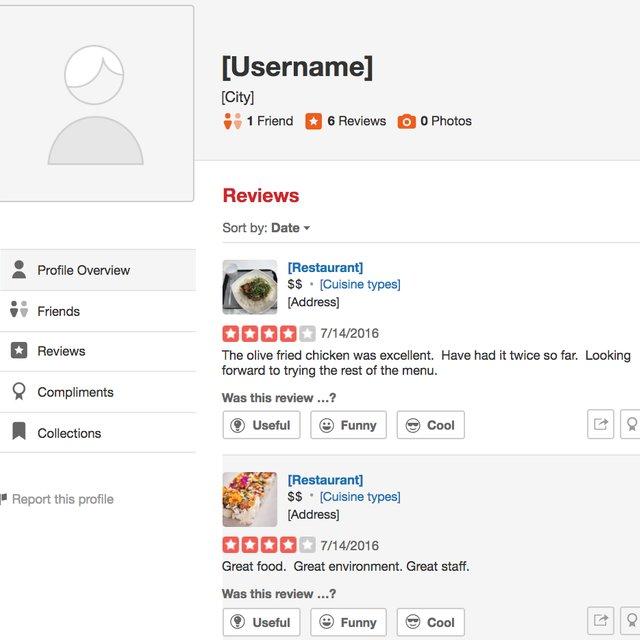
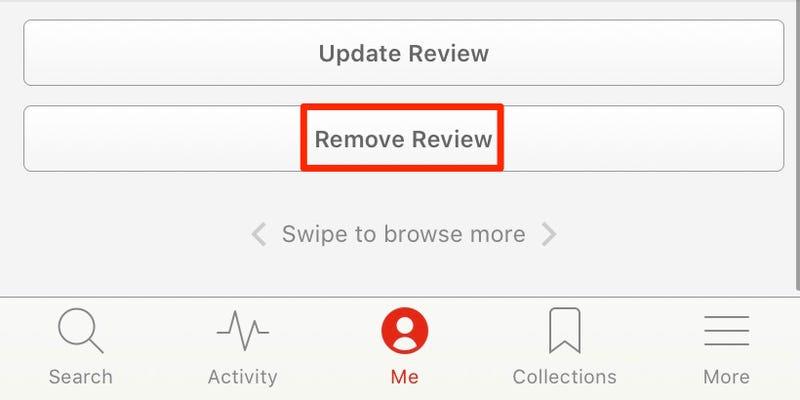
- On a computer: log in to Yelp, open your profile, and go to your reviews. Find the review, open the three-dot menu or the options next to it, and choose Remove review, then confirm.
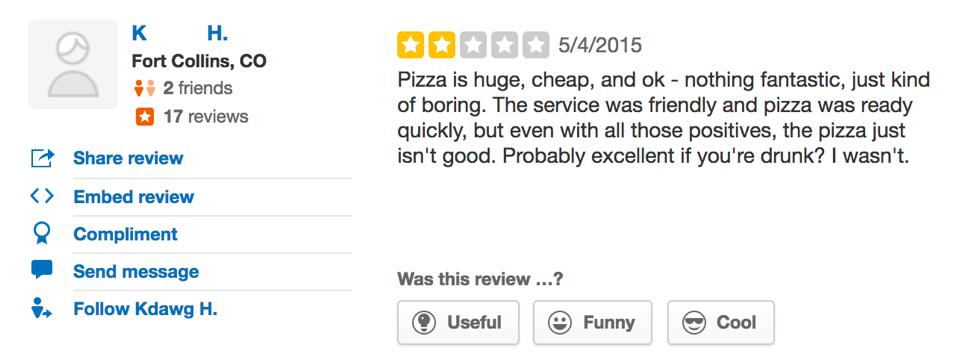
- On a phone: open the Yelp app, go to your profile and your reviews, find the review, and use its menu to remove it.
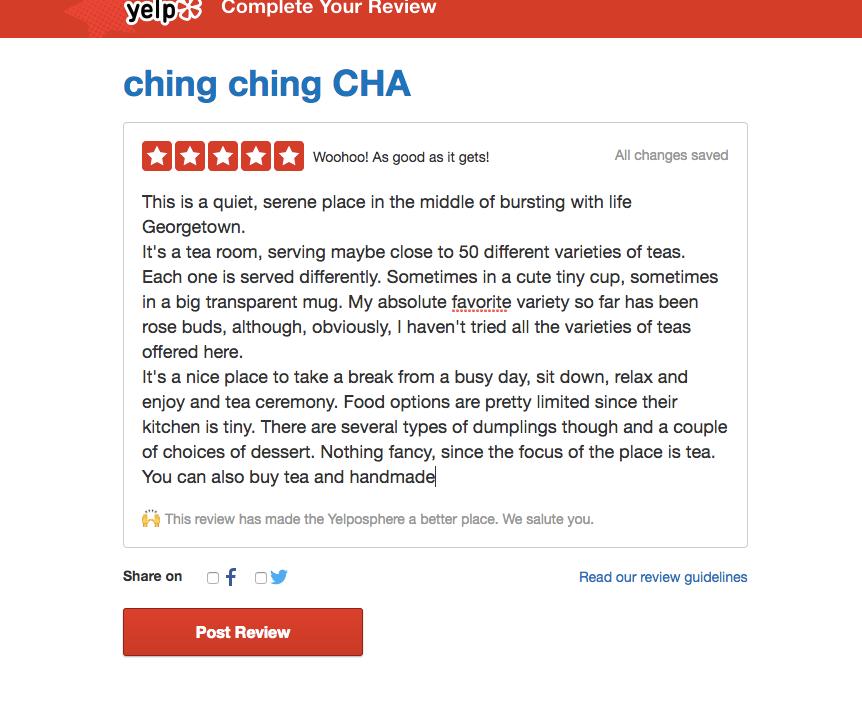
- To update instead: if the business fixed the problem, you can edit your review or add a new one reflecting your latest experience.
If you’re a business owner, you can’t delete someone else’s review this way, even from your business account.
If It’s About Your Business: Report It
Yelp’s support article “How do I report a review?” describes these steps for business owners. You may need to claim your business page first.
1. Log in at biz.yelp.com and open the Reviews section of your business account.
2. Find the review and click More Options (the three dots), then Report Review.

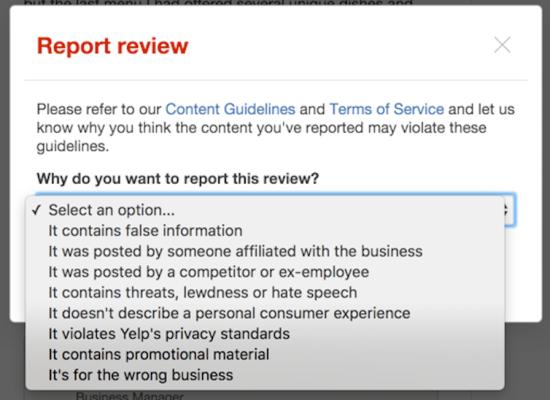
3. Choose the reason that fits, and add specific, factual details.
4. Hover over the flag icon next to the review to see the status of your report.
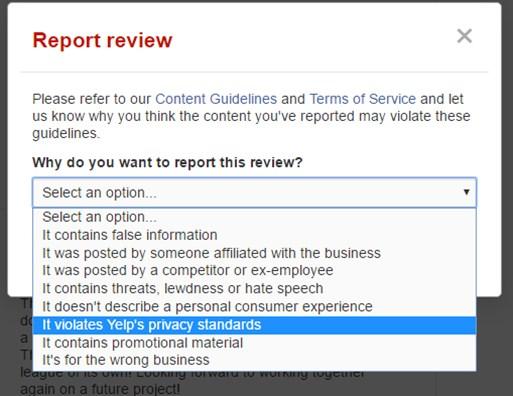
The FTC’s consumer guidance lists the same path for Yelp business owners: the Reviews page of your business account, then Report Review. Anyone logged in to Yelp can also report a review from the website or app.
What Qualifies for Removal, and What Doesn’t
Yelp says it removes reviews that violate its Content Guidelines, and that reporting doesn’t guarantee removal. Its support pages describe a few main reasons:
- An apparent conflict of interest: the reviewer seems to be a competitor, a former employee, or affiliated with the business, or is receiving payment or other incentives. Yelp adds that suspicion alone usually isn’t enough, so give specific evidence.
- Not about the reviewer’s own consumer experience: for example, rants about politics or a business’s employment practices, or a review posted on the wrong location’s page.
- Inappropriate content: such as threats, harassment, hate speech, or private information, according to Yelp’s guidelines and third-party summaries.
A review that’s harsh, one-sided, or simply unflattering doesn’t qualify, even if you think it’s unfair. A one-star review that reflects a real customer’s opinion can stay.
Check the “not recommended” section first. Yelp’s automated recommendation software decides which reviews show by default. Yelp says reviews that aren’t recommended remain reachable through a link at the bottom of the page but don’t count toward your overall star rating or review count, and that advertising has no connection to how the software treats a business. Also note that Yelp’s guidelines say businesses should never ask customers to write reviews, and its software looks for solicited reviews. That’s stricter than Google, so don’t copy a Google review campaign onto Yelp.
Timeline, Appeals, and What to Do If a Report Is Declined
- Timeline: Yelp says moderators evaluate the review against the Content Guidelines, which may take several days. It emails your registered address when the content has been evaluated, and it notifies the reviewer if their content is removed.
- One report per review: a third-party guide says repeating a report doesn’t help, so make the first one count.
- If it’s declined: Yelp’s reporting page doesn’t describe a formal appeal button. If you have new, specific evidence, such as proof of a conflict of interest, you can contact Yelp’s business support with the facts. Verify the current options in your account.
If the review stays, take these steps instead:
- Reply publicly in a calm, professional way (templates below).
- Fix the problem the review describes, and let the reviewer know privately.
- Never offer a discount or anything else in return for removing or changing a review. Yelp treats that as an incentive, and so does the FTC.
- Keep serving customers well, so honest reviews accumulate over time.
Reply Professionally Instead: 3 Templates
A good reply helps every future reader. For more, see our guide to how to respond to negative reviews. These are templates, not real replies.
A genuine complaint
“Hi [Name], thank you for telling us, and I’m sorry your visit fell short. We’d like to make it right. Please contact [Manager name] at [ phone or email ] so we can look into it.”
A review you believe is unfair or inaccurate
“Thank you for sharing your concerns. This doesn’t match how we try to work, and we’d like to understand what happened. Please contact us at [ phone or email ].”
A medical, dental, or other regulated practice (no confirmation that the person is a client or patient)
“Thank you for your feedback. We take every comment seriously. Because of privacy rules, we can’t discuss any individual’s care or visit here. Please call our office manager at [ phone ].”
Legal Options: General Information Only
This section is general information, not legal advice, and laws differ by state. Talk to an attorney before you act.
- A court order is the usual legal route. A 2026 third-party summary quoting Yelp’s help article says Yelp’s path is this: if your report is declined and you obtain a final order from a court of competent jurisdiction explaining why a review is defamatory, you can send it to Yelp’s support team.
- Opinion isn’t defamation. Defamation generally involves a false statement of fact, not a harsh opinion, and proving it can be costly.
- Platforms are generally shielded. Section 230 of the Communications Decency Act typically protects sites like Yelp from liability for what users post, which is why legal action usually targets the reviewer.
- Don’t bluff. The FTC’s 2024 rule on fake reviews bans suppressing reviews through groundless legal threats or intimidation. A baseless threat letter can make things worse.
If the Problem Is on Another Platform
- Google: you report policy-violating reviews from your Business Profile, and track them in the Reviews Management Tool (older articles call the dashboard Business Profile Manager). Start with google reviews for business.
- Facebook: Pages use Recommendations instead of star ratings, and the FTC’s guidance says business owners can go to the Reviews tab and select Report Post. See how to delete a review from facebook.
FAQ: Deleting Yelp Reviews
Can I delete a Yelp review someone else wrote about my business?
No. You can report it, and Yelp removes it only if it violates the Content Guidelines.
Will Yelp remove a review that’s false?
Not automatically. Yelp doesn’t take sides in factual disputes. It removes content that breaks its guidelines, and for defamation it points to a court order.
How long does it take Yelp to review a report?
Yelp says it may take several days. You can check the status by hovering over the flag icon, and Yelp emails the result.
Can I pay Yelp or the reviewer to remove a review?
No. Yelp says advertising has no connection to its recommendation software, and offering a reviewer anything for removal counts as an incentive.
Why aren’t my good reviews showing?
They may be filtered as “not recommended” by Yelp’s automated software, which looks at signals such as conflicts of interest and solicited reviews.
Can I ask customers to review me on Yelp?
Yelp’s guidelines say businesses should never ask customers to write reviews, so avoid campaigns that do. This differs from Google, where asking is allowed without incentives.
Focus on What You Can Control
Report what truly breaks the rules, reply to the rest with care, and keep serving customers well. If you’d like help managing your reviews across platforms, explore our online reputation management service.
Sources (checked Oct 2026): Yelp, Content Guidelines · Yelp Support, How do I report a review? · Yelp Support, When should I report a review? · Yelp Support, How We Approach Reviews at Yelp · FTC Consumer Advice, How to report suspicious online reviews · FTC final rule on fake reviews (Aug 14, 2024) · Cloutly, How to delete a Yelp review (2026, third party) · Chatmeter, How to delete a bad Yelp review (third party). Platform menus and policies change, and this article is general information, not legal advice. Steps for deleting your own review come from third-party guides, so confirm them in your Yelp account.