



Google Ads for a local business works differently from campaigns targeting a broad market. Local customers often search for a service + location or look for a nearby business when they already know what they need.
That means better results do not come from simply running more ads. You need to show the right offer to the right people in the right area when they are ready to take action.
In this guide, Good Review Service shares 8 practical ways to improve Google Ads for local businesses, from local keywords and location targeting to landing pages, call tracking, and conversion tracking.
Why Google Ads Matters for Local Businesses
Local customers often search when they already have a clear need, such as “dentist in [city]”, “HVAC repair near me,” or another service + location query. These searches can indicate stronger intent than broad searches.
Google Ads allows a local business to appear when people are actively searching for relevant services in the areas it serves. This can help capture demand without waiting for organic rankings to improve.
But local Google Ads requires tight control over location, search intent, service, and conversions. Otherwise, a campaign can spend money on clicks from people who are outside the service area, looking for unrelated information, or unlikely to become customers.
The goal is not to run more ads. It is to put the right service in front of the right person in the right area.
8 Google Ads Strategies for Local Businesses
1. Target High-Intent Local Keywords
Focus your budget on searches that show customers are actively looking for a service in your area:
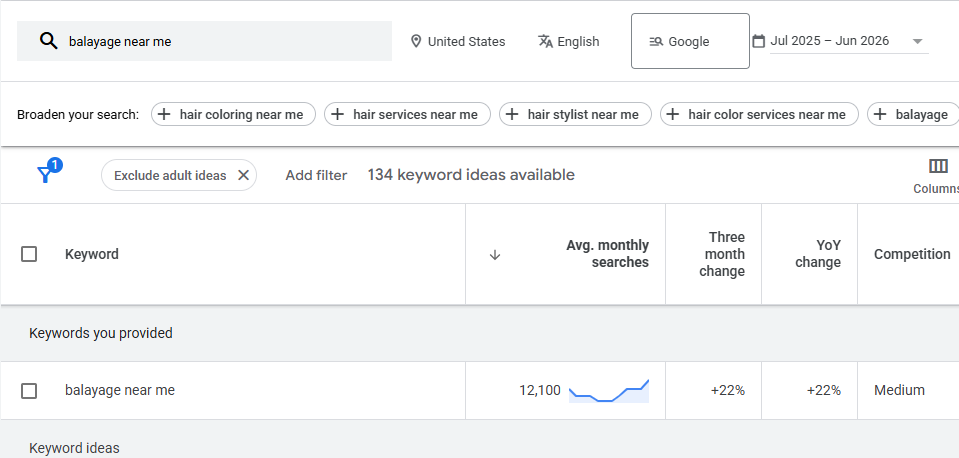
[service] near me– Targets people looking for a nearby provider.[service] in [city]– Reaches customers specifically searching within a city.[service] [city]– Captures similar local service searches.- Prioritize keywords with strong buying intent, such as searches for booking, pricing, availability, or a specific service.
- Avoid spending heavily on broad informational searches that are unlikely to lead to a call, booking, or purchase.
2. Target Only the Areas Your Business Serves
Set your Google Ads location targeting around the areas your business can actually serve:
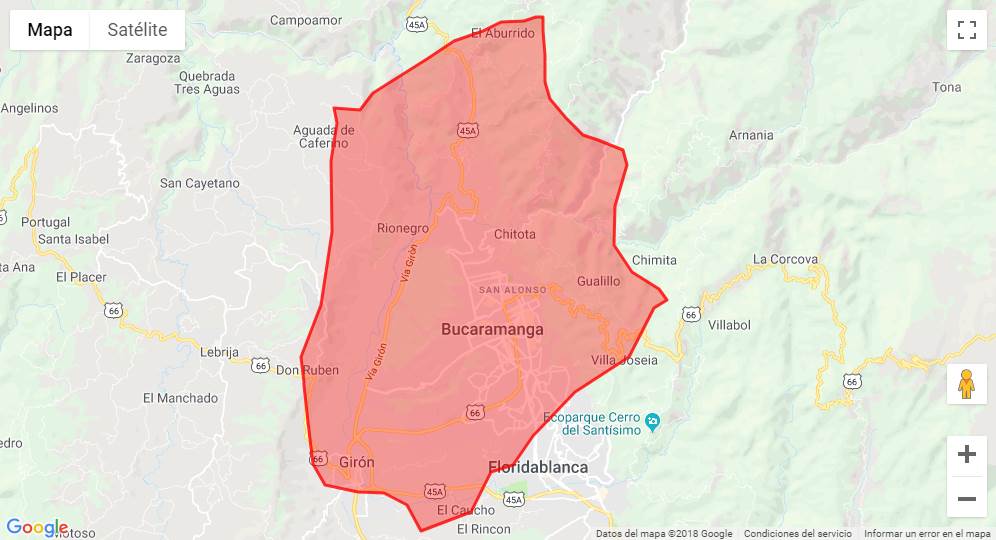
- City targeting: Show ads in specific cities where you operate.
- ZIP codes: Target specific ZIP codes when your service area is more limited.
- Radius targeting: Set a radius around your business when customers typically come from nearby areas.
- Exclude areas outside your service area: Prevent ad spend from reaching locations you cannot serve.
- Adjust targeting to your actual capacity: Expand or narrow your targeting based on where you can reliably serve customers.
3. Build Ads Around Specific Services
Create campaigns around specific services instead of using one generic ad for the entire business. This makes the message more relevant to what the customer is searching for.
- Dental implants – Target searches from people specifically looking for implant treatment.
- Emergency dental care – Focus on urgent searches where customers need immediate help.
- Teeth whitening – Promote the specific cosmetic service rather than general dental care.
- Nail services – Create ads around services such as gel manicures, acrylics, or pedicures.
- HVAC repair – Target customers searching for a specific repair or HVAC problem.
When search volume supports it, give each service its own keywords, ad copy, and landing page so the entire ad experience matches the customer’s search.
4. Use Location and Service Details in Ad Copy
Include the details customers need to quickly decide whether your business is relevant:
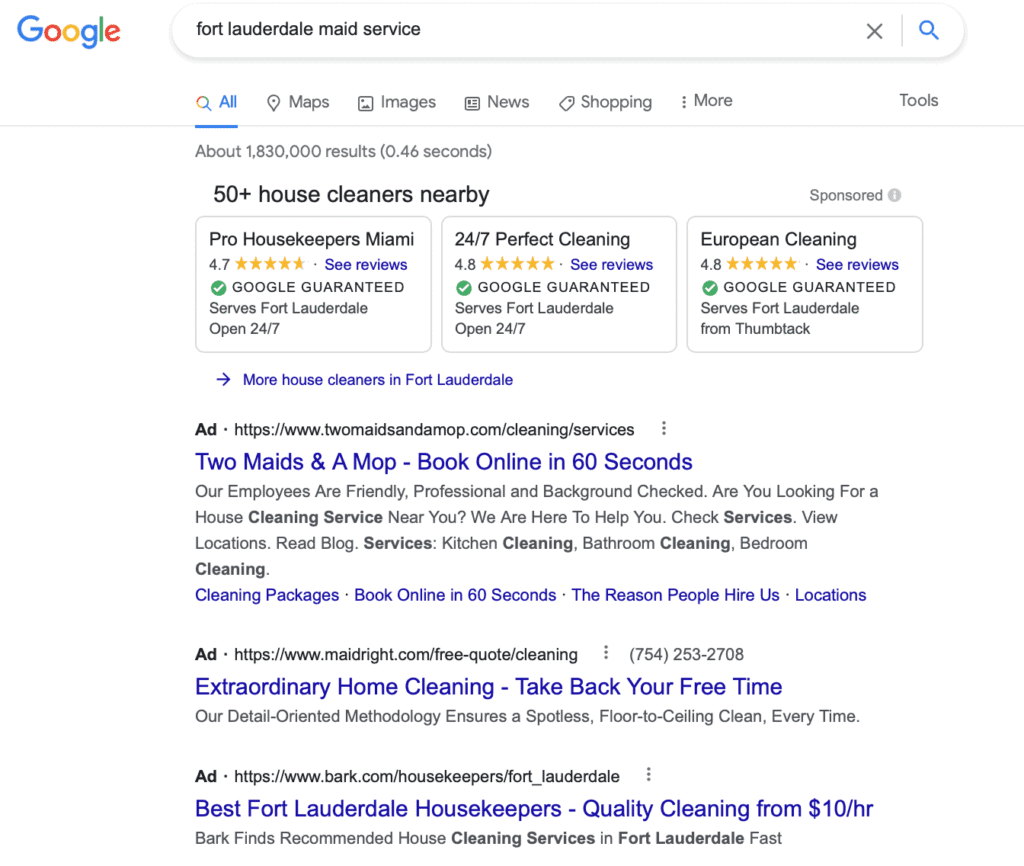
- Service name: Clearly state the service they searched for.
- City or area: Mention the location you serve.
- Main benefit: Highlight the most relevant customer benefit.
- Availability: Mention same-day, weekend, or appointment availability when applicable.
- Offer: Include a relevant promotion or incentive when available.
- CTA: Tell customers what to do next, such as Call Now, Book Today, or Request a Quote.
The goal is simple: make the searcher immediately think, “This business offers what I need in my area.”
5. Send Each Ad to a Relevant Landing Page
Send visitors to the page that best matches what they searched for instead of sending every ad to the homepage.
- Use a service-specific page that focuses on the advertised service.
- Create a location-specific page when the location is important to the offer.
- Match the landing page headline with the ad and search intent.
- Use a clear CTA such as Book Now, Call Today, or Request a Quote.
- Make phone, booking, or inquiry forms easy to find and use.
A specific landing page can give visitors the information they need faster and make it easier to take action.
6. Optimize for Calls, Leads, and Bookings
Local businesses should optimize Google Ads for actions that can directly lead to revenue, not just clicks.
- Phone calls – Track calls generated by your ads and landing pages.
- Appointment bookings – Measure completed bookings, not just visits to the booking page.
- Quote requests – Track customers who submit a request for pricing or an estimate.
- Lead forms – Measure completed forms and the quality of the leads they generate.
- Store visits – Track visits when this conversion is relevant and available for your business.
The goal is to measure real customer actions, so you can see which campaigns actually contribute to sales.
7. Track Which Google Ads Produce Customers
Do not judge campaign performance by clicks, CTR, or CPC alone. Track what happens after someone clicks your ad:
Ad → Lead → Qualified Lead → Customer → Revenue
This shows which ads and services actually produce valuable customers. It is especially important when different services have different customer values, because the campaign with the cheapest clicks may not generate the most revenue.
8. Adjust Budget Around Local Demand
Allocate your Google Ads budget based on where you see real customer demand and business results:
- Put more budget into services with strong local demand.
- Increase spend when a campaign consistently generates qualified customers.
- Reduce spend on keywords or areas that generate traffic but little business.
- Adjust budgets for seasonal demand and business hours when customer behavior supports it.
FAQs About Google Ads for Local Business
How Much Should a Local Business Spend on Google Ads?
A local business should start with a budget it can sustain while generating enough data to evaluate performance. The right amount depends on local search volume, service value, competition, and conversion rates. Increase the budget when campaigns consistently produce qualified customers.
What Keywords Should a Local Business Use in Google Ads?
Focus on high-intent keywords that combine the service with a location or indicate immediate need. Examples include [service] near me, [service] in [city], and specific service terms such as emergency dentist [city].
Can Google Ads Target Customers Within a Specific Area?
Yes, Google Ads can target specific locations based on the campaign’s available location-targeting options. Depending on the business, you can target cities, ZIP codes, or a radius and exclude areas you cannot serve.
Should Local Businesses Run Google Ads All Year?
Not necessarily; budgets should follow customer demand and business capacity. Some businesses benefit from running ads year-round, while others can reduce spending during slower periods or increase it during seasonal demand.
Is Google Ads Better Than Local SEO for a New Business?
Google Ads can generate visibility faster, while Local SEO can build longer-term organic visibility. A new business can use Google Ads to capture immediate demand while building its Google Business Profile, website, reviews, and local SEO foundation.
Google Ads for Local Business should focus on the right service, location, audience, and conversion – not simply more clicks. If you want to attract qualified local customers and improve your ad performance, Good Review Service can help manage and optimize your Google Ads campaigns.