



You filled out every field, but you still can’t edit your hours or reply to a single review. Your profile isn’t verified yet.
Google business verification is how you prove you own or represent a business. Google offers one or more methods (phone, text, email, video, or postcard), and a review follows, usually within 5 business days.
Here’s each step, the timeline, and the fixes when it stalls.
How to verify your Google Business Profile
Sign in to the Google Account that manages your profile, find your business on Google Search or Maps, select Get verified, and finish the method Google offers you. Then wait up to 5 business days for Google to review it.
- Find your profile. Search your business name and city, or search my business.
- Select Get verified. Google shows the methods available to you.
- Complete the method: phone or text, email, live video call, video recording, or postcard.
- Wait for review. It takes up to 5 business days. Some profiles verify instantly.
- Check for the confirmation email. That means you’re verified.
Google picks your options automatically, and you can’t change them. If your business is eligible for video verification, Google recommends it.
Who needs to verify and what makes a business eligible
Everyone who wants to edit business info or interact with customers on Google must verify. To qualify for a profile at all, a business must make in-person contact with customers during its stated hours. Your type of business changes what you show and what your video must prove.
| Business type | Address on profile | What your verification video should show |
|---|---|---|
| Storefront (customers visit you) | Shown | Street signs and nearby places, permanent signage with your exact profile name, and proof you manage it, like a cash register or POS |
| Service-area (you travel to customers) | Hidden | Landmarks near your address, tools or a branded vehicle, and a permit, invoice, or utility bill with your business name |
| Hybrid (both) | Shown, plus a service area | Storefront proof, plus evidence you serve customers at their locations |
Not eligible: online-only businesses, mailbox or P.O. box addresses, virtual offices, and lead-generation agents. Google’s eligibility guidelines list the details.
Set up your NAP correctly first. NAP means your business Name, Address, and Phone number, kept identical everywhere online. Use your real-world name with no keywords or taglines, and pick the fewest, most specific primary category that describes your core business,
Google business verification, step by step
Sign in with the Google Account tied to the profile, then follow the method you see. Verify the steps against Google’s current help page if your screen differs.
Step 1: Find your business
Search your business name and city on Google, or search my business. If it isn’t listed, add it. If it exists but nobody owns it, claim it.
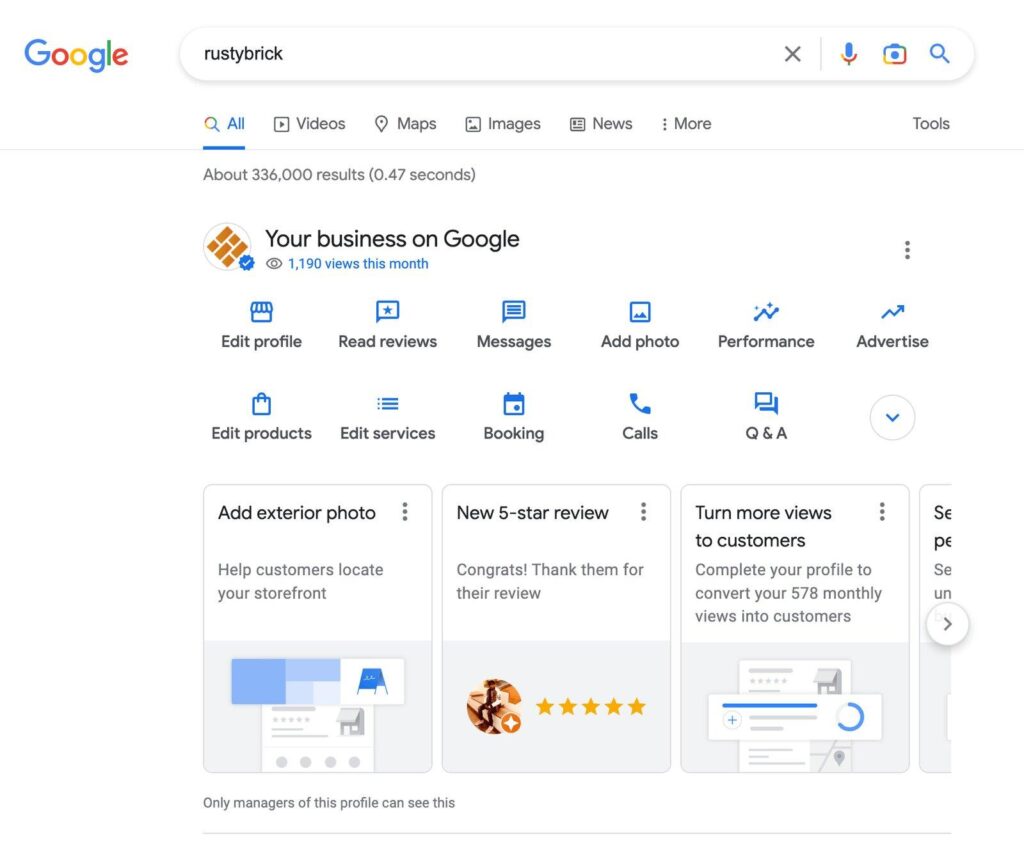
Step 2: Select Get verified and choose a method
- Phone or text: answer the call or open the text, then enter the code on your profile. Phone systems with menus (IVR) won’t receive the code.
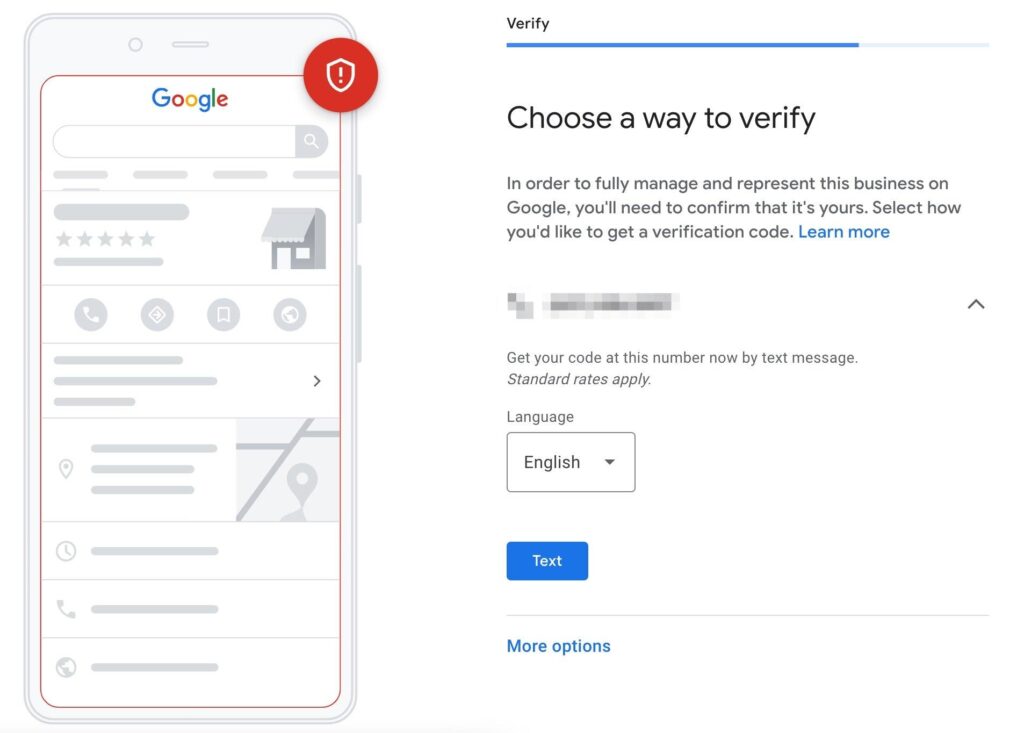
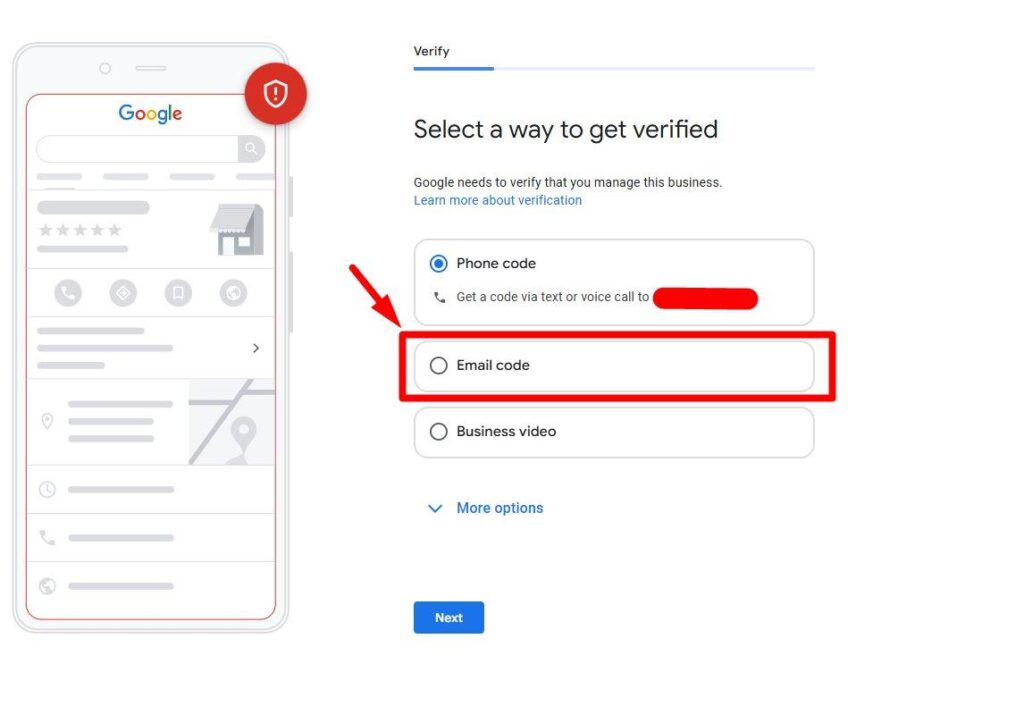
- Email: use an address you can open now, then follow the email’s steps.
- Live video call: available only during your local business hours. Be at your business, and be ready to show your location, equipment, and proof you manage it.
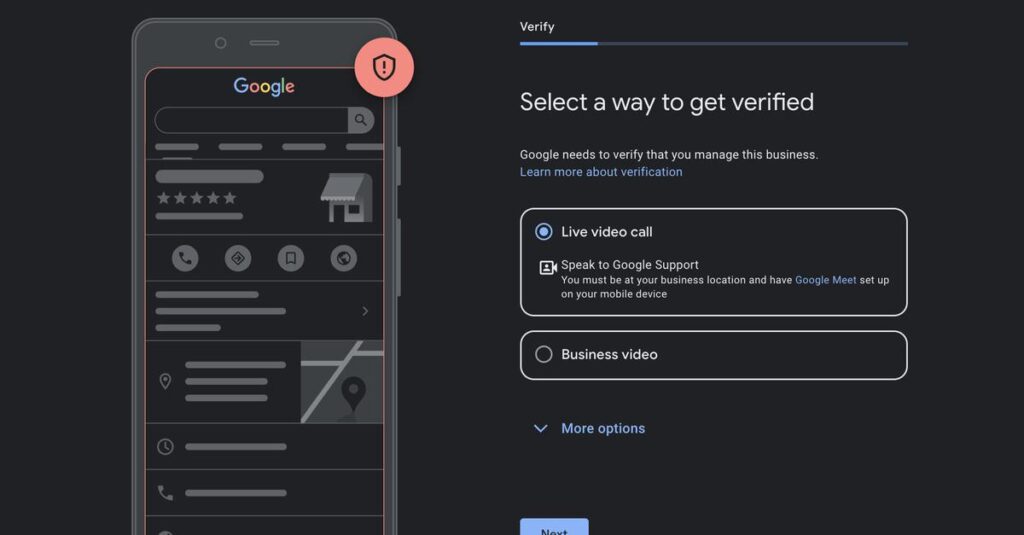
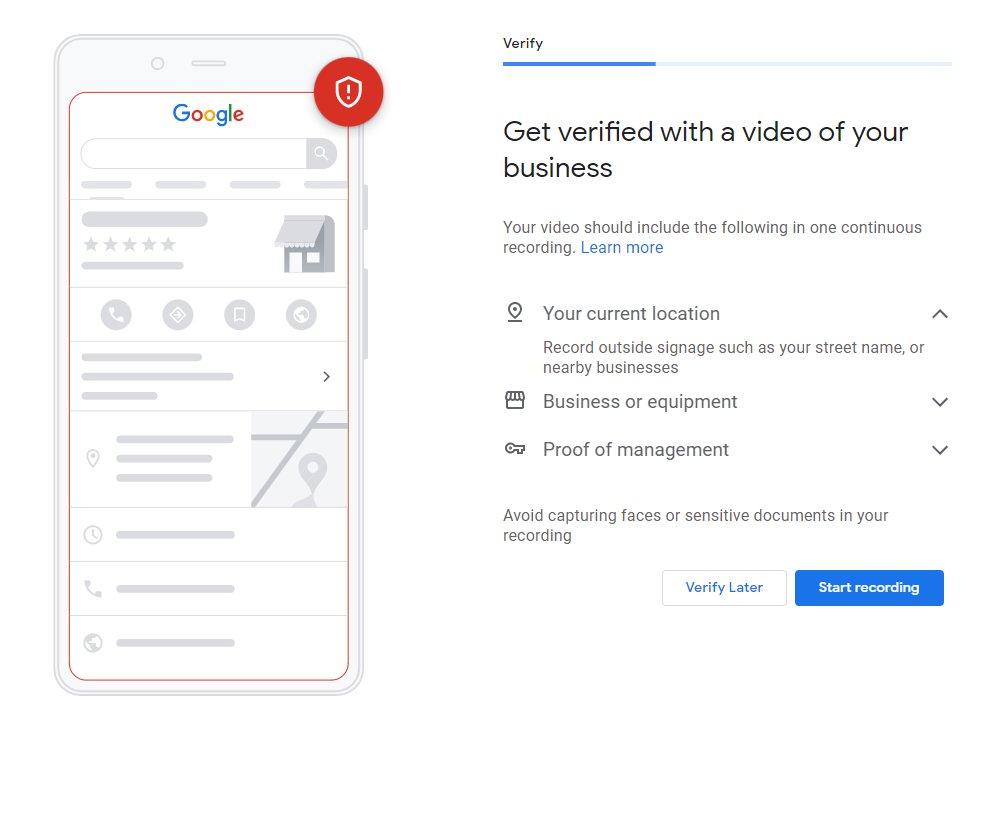
- Video recording: record live on a mobile device through your profile. It must be unedited, unbroken, and at least 30 seconds, with no sensitive info or other people’s faces.
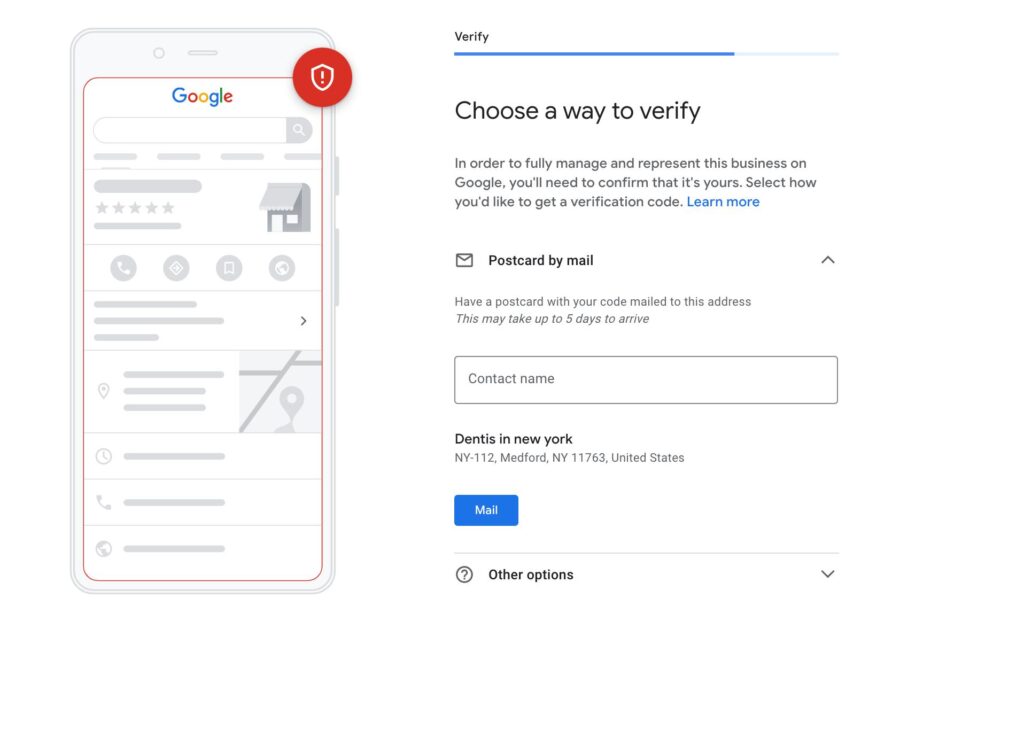
- Postcard: confirm your mailing address and request the code. Most arrive within 14 days and expire after 30. Don’t edit your name, address, or category while you wait, and don’t request a second code, because that cancels the first.
Step 3: Wait for review, then confirm
After you finish, Google reviews your info. When it’s approved, you’ll get a confirmation email. Keep your code private. Google will never ask for it.
Common Google business verification errors and fixes
| Problem | Likely cause | Fix |
|---|---|---|
| Get verified button returns | Google couldn’t completely verify the business | Re-verify. If several options show, try another. |
| Video rejected (Review issues) | Name not visible on signage, no nearby area shown, or missing proof you manage the business | Tap Review issues, then record a new video with everything the first one showed plus what was missing |
| Postcard code won’t work | You changed your name, address, or category, or the code expired after 30 days | Leave those fields alone while waiting. Re-verify if the code expired. |
| Postcard never arrives | Wrong mailing address, or still in transit | Wait the full 14 days, check the address, then try another method or contact support |
| Phone code doesn’t arrive | A phone menu (IVR) answered the call | Use a direct line, or choose text |
| Asked to re-verify | You recently changed business details | Select Get verified and complete the method again |
| Someone else already owns the profile | A previous owner or agency verified it | Request ownership through Google’s ownership process |
Duplicate or outdated listings also block progress. If that’s your situation, learn how to remove business from google business before you try again.
Avoid suspension. Google may suspend profiles that break its guidelines, such as names stuffed with keywords or taglines, or virtual-office addresses. Fix the profile to match your real-world business before requesting another review.
How long Google business verification takes
Google says verification reviews take up to 5 business days, and rarely longer. Postcards add mailing time, with most codes arriving within 14 days. Some profiles verify instantly, such as when you verify your website in Search Console or use bulk verification.
| Method | What to expect |
|---|---|
| Phone, text, or email | Code arrives right away, then review of up to 5 business days |
| Video recording or live video call | Review of up to 5 business days after you finish |
| Postcard | Most codes arrive within 14 days, expire after 30, then review |
| Search Console or bulk verification | Can be instant in some cases |
Once Google business verification is done, add managers rather than sharing your login, set your hours, and start improving your profile.
Post-verification checklist to rank in the Local Pack
Google says local results rely mainly on three things: relevance (how well your profile matches the search), distance (often called proximity), and prominence (how well known you are). Google’s ranking guide adds that complete, accurate info helps, and that you can’t pay for a better ranking. Work through this list:
- ☐ Primary category: the most specific one that fits your core business.
- ☐ NAP: match your website and other listings (citations) exactly.
- ☐ Hours and phone: regular hours, plus special hours for holidays.
- ☐ Description: honest and useful, with no links or promotions, which Google doesn’t allow there.
- ☐ Photos and services: real photos, plus your services or menu.
- ☐ Reviews: ask every customer and reply to each review. See our guide to google reviews for business.
- ☐ GBP posts: share updates and offers, following Google’s content policies.
For the full ranking playbook, read how to rank higher on google maps. For the optimization side, see our guide to search engine optimization google my business.
Google business verification FAQ
Is Google My Business the same as Google Business Profile?
Yes. Google renamed Google My Business to Google Business Profile, and the features you need, including verification, now live in your profile on Google Search and Maps.
How long does Google business verification take?
Google says verification reviews take up to 5 business days, and rarely longer. A postcard adds mailing time, since most codes arrive within 14 days.
Can I choose how to verify my Google Business Profile?
No. Google decides which options appear, based on your business type, public info, region, and hours. If your business is eligible for video verification, Google recommends it.
Can a service-area business verify without a storefront?
Yes, if you serve customers in person at their locations. Hide your address if you don’t serve customers there, and use your video to show your service area, tools, and proof you run the business.
Can an online-only business verify a Google Business Profile?
No. Google says online-only businesses, such as e-commerce shops with no in-person service, aren’t eligible for a Business Profile.
Can I share my verification code with my marketing agency?
No. Google says never to share your code with anyone, including third parties who help manage your profile. Verify first, then add them as a manager.
Your next step
To start Google business verification, open your profile, select Get verified, and finish the first method Google offers. If you’d rather have an expert handle setup and ranking, our Google Maps SEO service can take it from here.
Sources (checked October 2026): Google: Verify your business; Google: Verify with a video recording; Google: Business eligibility and ownership; Google: Guidelines for representing your business; Google: Improve your local ranking.