



Ranking higher on Google Maps depends on more than simply creating a Google Business Profile. Your business category, services, profile information, reviews, local citations, links, and website all play a role in your local search presence.
The process starts with choosing the right primary category, adding your main services, and completing your Business Profile. From there, you can strengthen your profile with genuine reviews, consistent business information, local citations, and relevant local links.
Your website also matters. A stronger local website can support your Google Maps visibility, while location-based rank tracking helps you see where your business is actually performing.
In this guide, we cover 10 ways to rank higher on Google Maps, from basic profile optimization to reviews, local SEO, link building, and location-based tracking.
What Affects Google Maps Rankings?
Google Maps rankings are mainly affected by relevance, distance, and prominence. Google considers how closely a business matches the search, how close it is to the search location, and how established or well-known the business is online.
10 Ways to Rank Higher on Google Maps
1. Choose the Right Primary Category
Set your primary category in your Google Business Profile to match the main service your business provides. This tells Google what your business is and helps it determine which local searches are relevant.
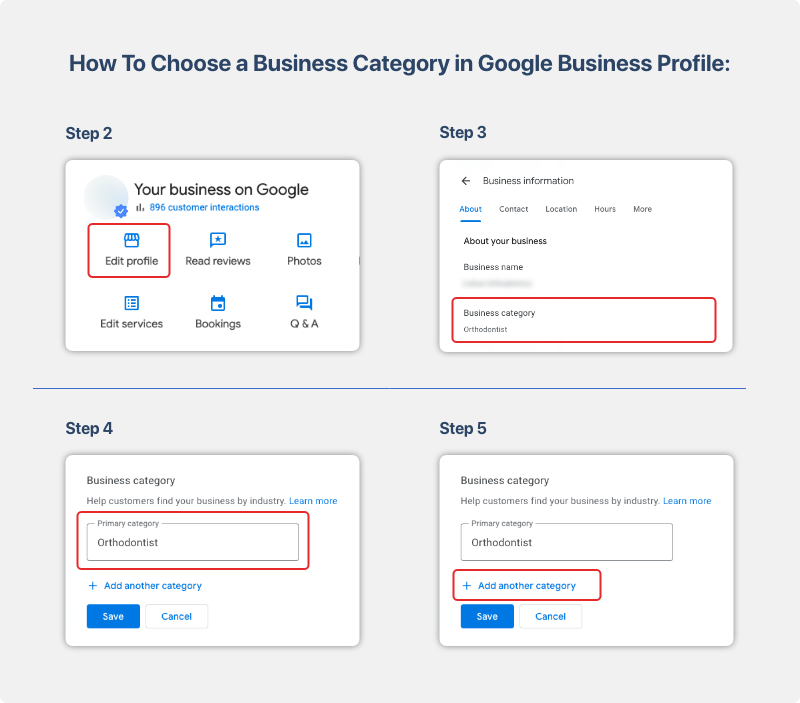
To update it, open your Google Business Profile → Edit profile → Business category, then choose the most accurate primary category available. For example, if your practice mainly provides cosmetic dentistry, choose the category that best represents that core service rather than choosing a broader category simply because it has more searches.
You can also add secondary categories for other services you genuinely provide. Do not add categories just to target more keywords. The goal is to give Google an accurate description of your business so it can match your profile with relevant local searches.
2. Add Your Main Services
Add the main services your business actually provides to your Google Business Profile. Your primary category tells Google what type of business you are, while your services provide more detail about what customers can get from you.
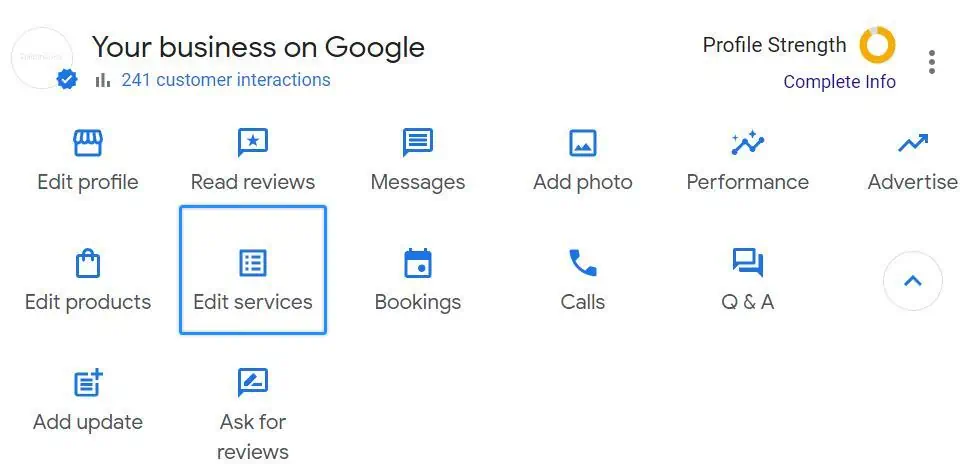
To add or update services:
- Open your Google Business Profile.
- Select Edit services or the Services section.
- Add your most important services using clear, customer-friendly names.
- Prioritize services that generate revenue or have clear customer demand.
- Review the list and remove services you no longer provide.
For example, a dental practice could list teeth whitening, dental implants, Invisalign, and emergency dental care if those services are actually offered. Keep the list relevant and avoid adding variations of keywords just to increase the number of services.
3. Complete Your Business Profile
Complete and update every important field in your Google Business Profile so Google and customers have accurate information about your business.
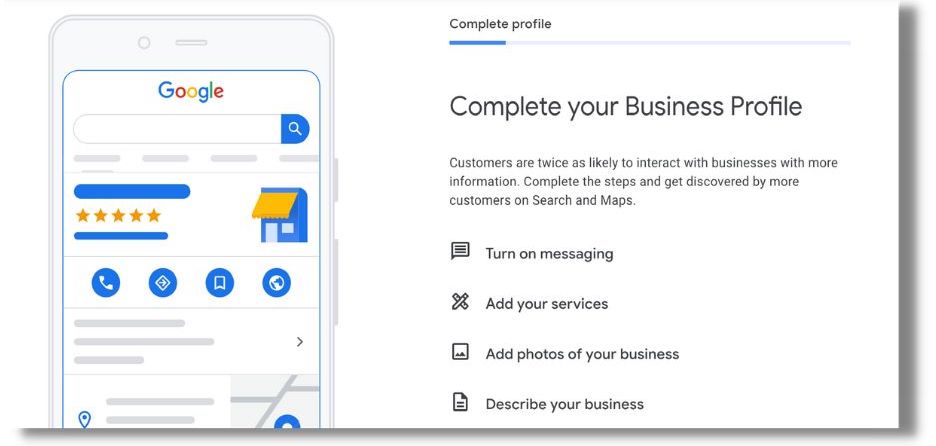
Open your Google Business Profile → Edit profile and check:
- Business name: Use your real-world business name.
- Address: Enter the correct business location if you serve customers there.
- Phone: Use a phone number customers can reach.
- Hours: Keep regular and holiday hours updated.
- Website: Add the correct website URL.
- Attributes: Select relevant attributes that accurately describe your business.
- Photos: Add clear, current photos of your business, services, products, and team when appropriate.
- Booking/contact options: Add available booking or contact options if your business supports them.
A complete profile is not a shortcut to the top of Google Maps. It gives Google and potential customers enough accurate information to understand your business and decide whether it matches the local search.
4. Get More Genuine Reviews
Genuine reviews can strengthen your business’s prominence and help potential customers trust your business. They show that real customers have used your services and shared their experiences.
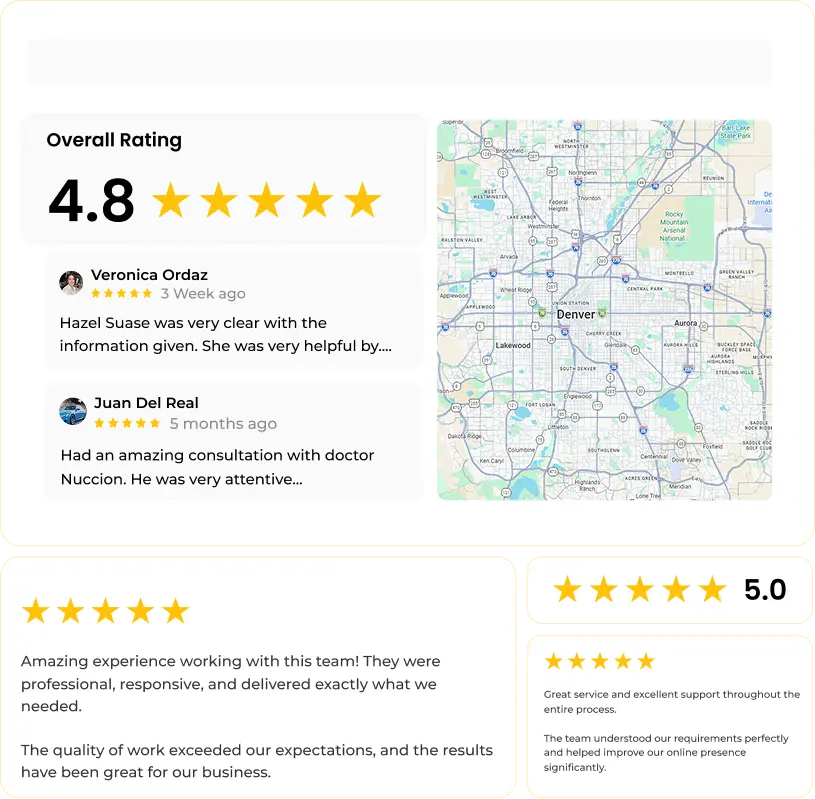
Build a simple process to request feedback after a customer has completed a purchase, appointment, or service. You can send a follow-up message with a direct link to your Google review form.
Focus on real customer experiences. Do not buy reviews, create fake reviews, or tell customers to include specific keywords. Review volume, ratings, and the content of genuine reviews can all influence how customers perceive your business, while Google also considers reviews and positive ratings among local ranking signals.
5. Respond to Customer Reviews
Respond to reviews to show customers that your business pays attention to their feedback. The goal is to maintain a genuine conversation, not to use review replies as a ranking tactic.
- Positive reviews: Thank the customer and acknowledge something specific about their experience.
- Negative reviews: Respond professionally, address the concern, and offer an appropriate way to resolve the issue privately when needed.
- Avoid copied responses: Personalize replies instead of using the same message for every customer.
- Skip keyword stuffing: Do not add location or service keywords simply to influence rankings.
Review responses are not a shortcut to higher Google Maps rankings. Their main value is showing current and potential customers that your business takes feedback seriously.
6. Keep Business Information Consistent
Keep your business name, address, phone number, and website consistent across your Google Business Profile, website, and important online directories. This helps customers and search engines find the same business information across different sources.
Check your listings especially after you:
- Change the business address
- Change the phone number
- Change the business name
- Open or close a location
When updating your information, review the Google Business Profile first, then check your website and major directories for outdated details. Consistency supports a reliable local presence, but it should not be treated as a standalone ranking factor alongside Google’s core local ranking factors of relevance, distance, and prominence.
7. Build Local Citations
Build citations by listing your business information on relevant directories, industry websites, local organizations, and trusted platforms. These listings help establish your business presence across the local search ecosystem.
Prioritize quality over quantity:
- Major directories: List your business on established platforms relevant to your market.
- Industry directories: Use directories specific to your industry.
- Local organizations: Look for local chambers, associations, or community websites.
- Trusted platforms: Choose reputable websites that customers actually use.
Keep the business name, address, phone number, and website accurate across each listing. You do not need hundreds of duplicate citations. Relevant, accurate listings are more useful than creating large numbers of low-quality citations.
8. Earn Relevant Local Links
Earn links from relevant local and industry websites to strengthen your business’s online prominence. Instead of building large numbers of unrelated backlinks, focus on websites that have a genuine connection to your business or community.
Good opportunities include:
- Local organizations: Get listed by organizations you genuinely work with.
- Chambers of Commerce: Join relevant local business organizations that provide member listings.
- Community events: Support or participate in local events that can mention your business online.
- Local publications: Contribute useful information or stories that are relevant to the local community.
- Industry associations: Get listed or featured by legitimate organizations in your industry.
- Local partnerships: Work with complementary local businesses on events, content, or community activities.
A relevant local or industry link can be more meaningful than dozens of unrelated backlinks. Google also notes that links to a business can contribute to its prominence in local search.
9. Strengthen Your Website
Use your website to reinforce the services, location, and business information shown in your Google Business Profile. The website should clearly support what your profile tells Google and potential customers.
- Service pages: Create clear pages for your main services.
- Location information: Show the areas or locations your business actually serves.
- Business information: Keep your business name, address, and phone number consistent with your profile.
- Accurate service content: Describe the services you genuinely provide instead of adding keywords for unrelated searches.
- Relevant landing pages: Link your Business Profile to the page that best matches the service or customer intent.
You do not need to turn this into a complete SEO campaign. The goal is to give Google and customers another reliable source for understanding what your business offers and where it operates.
10. Track Rankings by Location
Track your Google Maps rankings from multiple locations because your position can change depending on where the search is made. A business may rank strongly near its location but appear lower in areas farther away because distance is one of Google’s three main local ranking factors.
Instead of checking one keyword from the business location, track:
- Target keyword
- Target location
- Ranking position
- Competitors
- Changes over time
If your business ranks differently across locations, do not immediately assume that your Google Business Profile has dropped. Local rankings naturally vary by search location. After improving relevance and building prominence, tracking these changes shows where your Google Maps visibility is actually improving or declining.
Google Maps Ranking FAQs
How Long Does It Take to Rank Higher on Google Maps?
There is no fixed timeframe for improving Google Maps rankings. Results depend on your current relevance, prominence, competition, reviews, website, and local market. Track rankings over time rather than expecting a specific number of days.
Why Does My Google Maps Ranking Change by Location?
Your Google Maps ranking can change because distance is a key local ranking factor. A business may rank highly near its location but lower when the same search is performed farther away.
Can Reviews Improve Google Maps Rankings?
Reviews can contribute to local visibility and prominence, but getting more reviews does not guarantee higher rankings. Focus on earning genuine reviews from real customers and maintaining a strong overall local presence.
Why Does My Competitor Rank Higher Than Me?
Your competitor may have stronger relevance, prominence, or proximity for the specific search location. Compare their category, services, reviews, website, citations, local links, and overall presence rather than assuming one factor explains the difference.