
Knowing how to use customer relationship management (CRM) effectively is just as important as choosing the right software. Without a clear process, customer data becomes disorganized, follow-ups are missed, and sales opportunities are lost. In this guide, Good Review Service explains how to use customer relationship management throughout every stage of the customer lifecycle to improve customer relationships, increase efficiency, and drive business growth.
What Is Customer Relationship Management Used For?
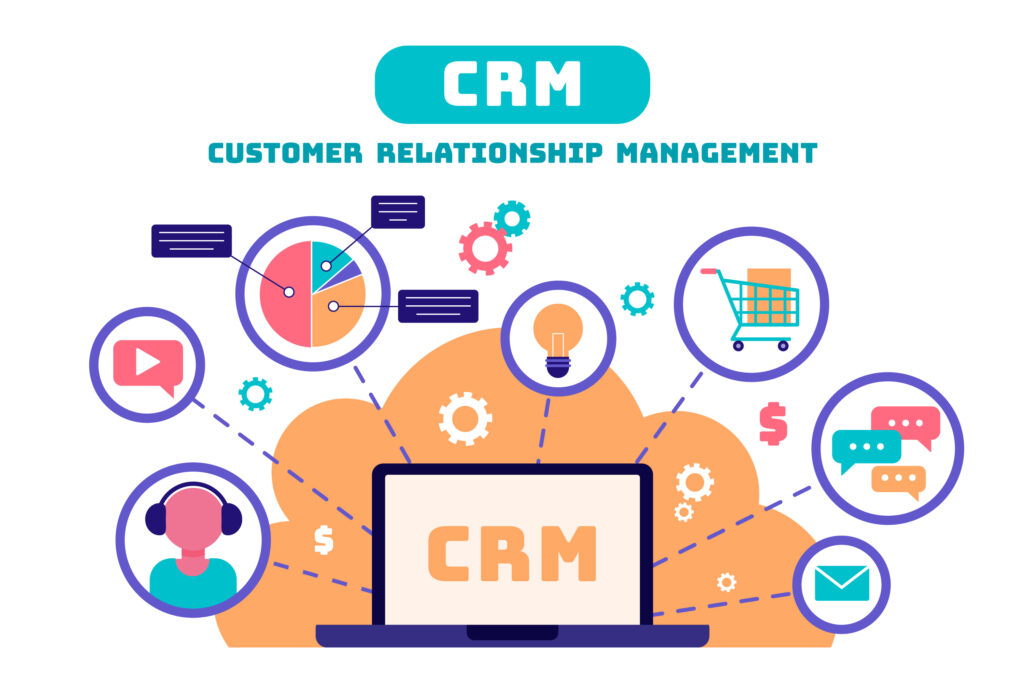
Customer relationship management (CRM) is used to manage customer relationships throughout the entire customer lifecycle. It helps businesses organize customer data, track interactions, manage sales opportunities, automate follow-ups, and provide better customer service from the first contact to long-term retention.
How to Use Customer Relationship Management
Set Up Your Customer Database
Start by importing all existing customer contacts from spreadsheets, email lists, or your previous CRM. Before importing, remove duplicate records and ensure each contact contains essential information such as name, email address, phone number, and company.
Next, standardize how customer information is stored. Use consistent formats for names, phone numbers, addresses, and job titles so records remain clean and searchable. Finally, create custom fields that match your business needs, such as lead source, customer status, purchase history, account owner, or next follow-up date. These fields make it easier to organize contacts and manage them throughout the customer lifecycle.
Segment Your Customers
Organize your contacts into meaningful groups so you can manage each customer differently instead of treating everyone the same. At a minimum, create these four segments:
- Leads: People who have shown interest but haven’t been contacted or qualified yet.
- Prospects: Qualified leads who are actively considering your product or service and need follow-up.
- Existing customers: Customers who have already made at least one purchase and should receive ongoing support and retention campaigns.
- VIP customers: Your highest-value customers based on spending, purchase frequency, or lifetime value. Reward them with exclusive offers, priority support, or early access to new products and services.
As customers move through the buying journey, update their segment so your sales and marketing efforts always match their current relationship with your business.
Track Every Customer Interaction
Record every meaningful interaction in your CRM so anyone on your team can quickly understand the customer’s history. Each interaction should include what happened, when it happened, and what should happen next.
Track interactions such as:
- Calls: Log the call date, discussion summary, customer needs, objections, and agreed next steps.
- Emails: Save important conversations, proposals, quotations, and customer replies in the contact record.
- Meetings: Record attendees, topics discussed, decisions made, and follow-up tasks after each meeting.
- Support requests: Track issues reported, resolutions provided, response times, and whether the case has been closed.
Every interaction should end with a next action, such as scheduling a follow-up call, sending a proposal, or checking in after a purchase. This keeps opportunities moving forward and prevents customers from being overlooked.
Manage Your Sales Pipeline
Create a sales pipeline that reflects how customers move from their first inquiry to a completed sale. Assign every opportunity to a stage so your team always knows its current status and the next action required.
A simple pipeline includes:
- Lead: A new contact has entered your CRM but has not been qualified.
- Qualified: The lead matches your target customer and has shown genuine interest in your product or service.
- Proposal: A quote, proposal, or pricing has been sent, and the opportunity is waiting for the customer’s decision.
- Closed: The opportunity is marked as Closed Won if the sale is completed or Closed Lost if the customer chooses not to move forward.
Review your pipeline regularly and move opportunities to the next stage as they progress. This gives your team a clear view of active deals, highlights stalled opportunities, and makes sales forecasting more accurate.
Schedule Follow-Ups
Every customer record should end with a scheduled follow-up. Instead of relying on memory, use your CRM to assign tasks, set reminders, and define the next action so no opportunity is forgotten.
When creating a follow-up, include:
- Tasks: Assign specific work, such as sending a proposal, requesting documents, or checking in after a demo.
- Reminders: Set a date and time for calls, emails, meetings, or renewal reminders to ensure timely follow-up.
- Next actions: Clearly define the next step, such as Call on Friday to discuss pricing, Send the revised contract, or Follow up one week after purchase.
Every follow-up should have an owner, a deadline, and a clear objective. This keeps deals moving through the pipeline and ensures customers receive consistent communication throughout their journey.
Automate Repetitive Tasks
Use CRM automation to handle routine tasks that don’t require manual work. This saves time, reduces human error, and ensures every customer receives timely follow-ups.
Common automations include:
- Email sequences: Automatically send welcome emails, follow-up messages, onboarding instructions, or re-engagement campaigns based on customer actions.
- Lead assignment: Route new leads to the appropriate sales representative based on territory, product, or workload.
- Notifications: Alert team members when a new lead is assigned, a customer replies, a deal changes stage, or a follow-up is overdue.
Only automate repetitive processes with clear rules. Personal conversations, negotiations, and relationship-building should still be handled by your team.
Monitor Customer Performance
Track customer performance to identify your most valuable customers and spot opportunities to improve retention. Instead of looking at a single metric, review customer activity over time.
Focus on these key indicators:
- Purchase history: Monitor what customers buy, how often they purchase, and their average order value to identify buying patterns.
- Engagement: Track email opens, link clicks, website visits, meeting attendance, or support interactions to measure how actively customers engage with your business.
- Customer lifetime value (CLV): Measure the total revenue a customer generates throughout their relationship with your business to identify high-value accounts and prioritize retention efforts.
Review these metrics regularly to personalize marketing, identify at-risk customers, and focus your resources on relationships that deliver the greatest long-term value.
Review CRM Reports Regularly
Review CRM reports regularly to measure performance and identify where your sales process can be improved. Focus on reports that help you make decisions, not just track activity.
Key reports to review include:
- Sales performance: Monitor revenue, deals won, average deal size, and individual sales representative performance.
- Pipeline health: Check how many opportunities are in each stage, where deals are stalling, and whether your pipeline has enough qualified opportunities.
- Conversion rates: Measure how effectively leads move from one stage to the next, such as Lead → Qualified, Qualified → Proposal, and Proposal → Closed Won.
Review these reports weekly or monthly to identify trends, remove bottlenecks, and make data-driven improvements to your sales process.
Best Practices for Using Customer Relationship Management
To get the most value from a CRM, follow these proven best practices:
- Keep customer data clean and up to date. Remove duplicate records, correct outdated information, and complete missing fields so your team always works with accurate data.
- Use the CRM consistently across your team. Establish clear standards for creating contacts, updating deal stages, logging interactions, and scheduling follow-ups to ensure everyone follows the same workflow.
- Automate repetitive workflows. Use automation for tasks such as lead assignment, follow-up emails, reminders, and status updates. This saves time while ensuring no customer is overlooked.
- Integrate your CRM with email and calendar tools. Sync emails, meetings, and appointments automatically so every customer interaction is stored in one place without manual data entry.
- Review reports and optimize regularly. Monitor sales performance, pipeline health, and conversion rates to identify bottlenecks and continuously improve your sales and customer management process.
Common CRM Mistakes to Avoid
Many CRM implementations fail because of poor processes rather than poor software. Avoid these common mistakes to keep your CRM accurate, improve team adoption, and get better results.
- Treating CRM as just a contact list: Use your CRM to track interactions, sales opportunities, follow-up tasks, and customer history – not just contact information.
- Failing to update customer records: Keep records current after every call, meeting, purchase, or support request so your team always has accurate information.
- Overcomplicating the sales pipeline: Limit your pipeline to the key stages of your sales process. Too many stages make it harder to manage opportunities consistently.
- Ignoring follow-up reminders: Review and complete scheduled tasks every day to ensure no lead or customer is forgotten.
- Not training employees: Establish clear CRM guidelines and train every team member to enter data consistently and follow the same workflow.
Learn more:
10+ Effective Client Retention Strategy
FAQs
How often should you update your CRM?
Update your CRM after every customer interaction. Recording calls, emails, meetings, and purchases immediately keeps data accurate and ensures follow-ups aren’t missed.
Who should use a CRM system in a business?
Any team that interacts with customers should use the CRM. Sales, marketing, customer support, and account managers all benefit from working with the same customer data.
Can small businesses use customer relationship management effectively?
Yes. A CRM helps small businesses organize customer information, automate follow-ups, and improve customer retention without needing a large team.
How long does it take to learn a CRM system?
Most users can learn the basics within a few days. Mastering automation, reporting, and advanced workflows typically takes a few weeks of regular use.
What’s the difference between using a CRM manually and with automation?
Automation saves time and reduces manual work. Instead of creating every task or follow-up yourself, the CRM automatically sends emails, assigns leads, creates reminders, and updates workflows based on predefined rules.
Using customer relationship management effectively helps businesses organize customer data, improve follow-ups, and build stronger relationships at every stage of the customer journey. With the right CRM process, businesses can increase efficiency, deliver better experiences, and drive long-term growth.
Good Review Service helps businesses improve customer relationships and online reputation through professional marketing solutions, helping you build trust, attract more customers, and grow your brand.