



Facebook Ads can help dental practices reach potential patients who may not be actively searching for a dentist yet, but a generic “We’re accepting new patients” ad is unlikely to stand out. The campaign needs a clear offer, a local audience, and messaging built around the treatment or appointment you want to promote. In this guide, Good Review Service shares 12 practical ways to use Facebook Ads for dentists to reach more local patients, generate qualified leads, and turn those leads into appointments.
What Makes Facebook Ads Work for Dentists?
Facebook Ads work well for dentists when the campaign reaches people who are likely to need dental care and presents the practice in a way that feels relevant and trustworthy. Unlike search-based advertising, Facebook can introduce dental services to potential patients before they actively search for a dentist.
The strongest campaigns connect patient needs, dental services, and local audiences without making the ad feel like a generic promotion.
12 Facebook Ads for Dentists Ideas
Use Before-and-After Smile Ads
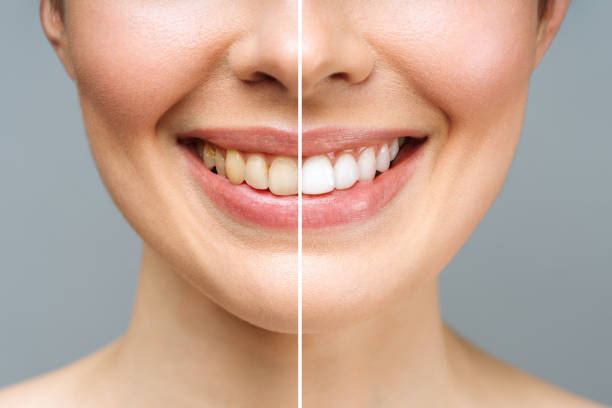
Before-and-after creatives can make cosmetic dental treatments easier to understand because the result is visible without requiring a long explanation.
- Invisalign – show the smile progression from treatment start to completion.
- Veneers – highlight the change in overall smile appearance.
- Whitening – use consistent lighting and angles so the result is easy to compare.
- Cosmetic dentistry – combine several transformation examples when promoting a broader smile makeover service.
- Use genuine patient results and obtain the necessary permission before using their images in ads.
Introduce the Dentist in Short Videos
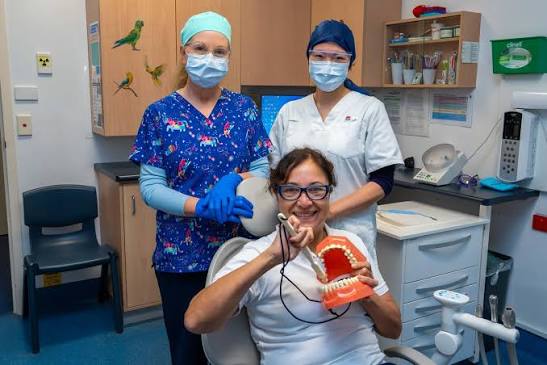
A 15–30 second video can make the practice feel more familiar before someone decides to book. Keep the dentist on camera and use real footage from the practice instead of stock imagery.
- Introduce the dentist and briefly explain their area of focus.
- Show the reception area, treatment rooms, and other parts of the practice patients will see.
- Share one simple idea about the practice’s approach to patient care.
- End with a clear invitation to schedule a consultation or appointment.
- Keep the video natural and conversational rather than making it feel like a scripted commercial.
Turn Patient Reviews Into Ad Creatives
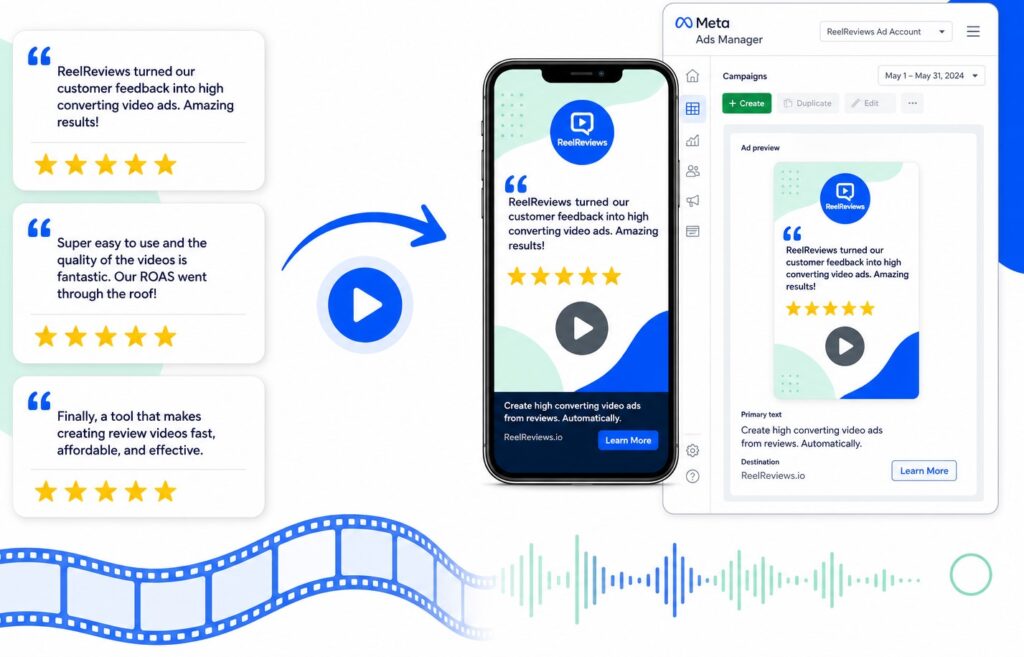
Patient reviews can do more than sit on a testimonials page. Turn strong feedback into ad formats that people can quickly read or watch while scrolling.
- Image ads: Highlight one short review with the patient’s first name or initials, when permitted.
- Carousel ads: Use several reviews to show different aspects of the patient experience.
- Video testimonials: Ask willing patients to share their experience in a short, natural video.
- Match the testimonial to the service being advertised when the review mentions a specific treatment.
- Get patient permission before using their name, image, video, or review in paid advertising.
Promote Limited-Time Consultation Offers
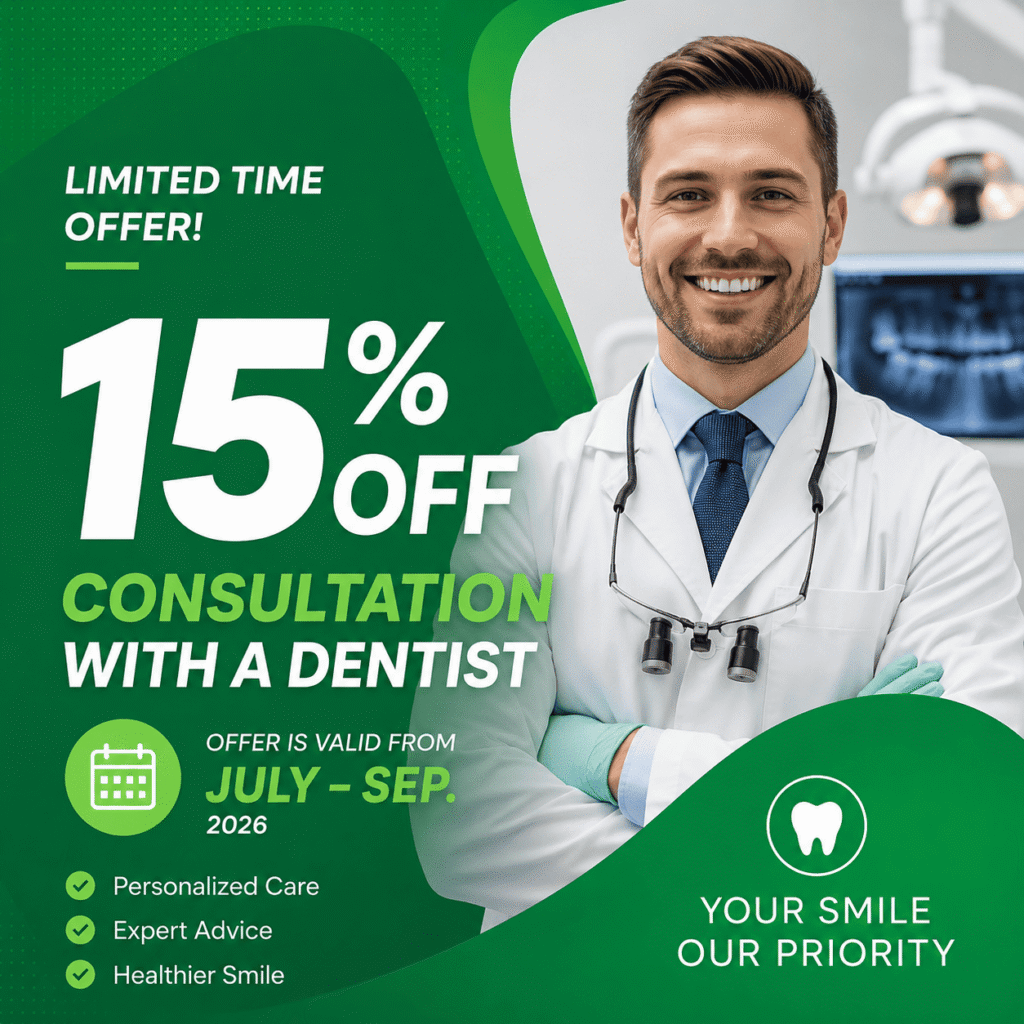
A time-limited consultation can give potential patients a clear reason to respond now rather than postponing treatment. Keep the offer tied to one service and make the deadline easy to understand.
- Free Invisalign consultation – offer a limited number of consultation appointments during the campaign period.
- Implant consultation – promote an initial discussion for patients considering dental implants.
- Whitening consultation – use a short-term consultation offer to encourage people considering cosmetic treatment.
- Display the offer, eligibility, and expiration date directly in the ad.
- Send clicks to a dedicated consultation page instead of the general dental practice homepage.
Use Carousel Ads to Explain Treatments
Carousel ads give a dental practice more space to explain a treatment without putting everything into one image. Each card can move the patient through a simple decision path.
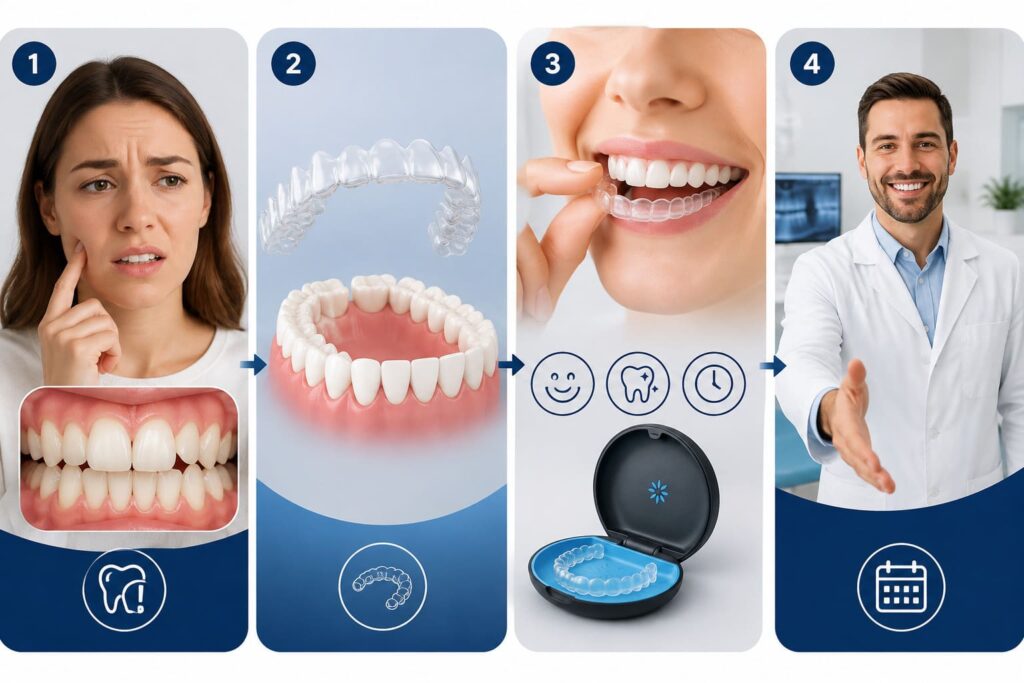
- Slide 1 – Problem: Introduce the concern the patient may have, such as crowded teeth or missing teeth.
- Slide 2 – Solution: Introduce the relevant treatment and explain how it addresses the concern.
- Slide 3 – Benefits: Highlight practical benefits, treatment features, or what patients can expect.
- Slide 4 – CTA: Invite the viewer to book a consultation, request more information, or contact the practice.
- Keep all four slides focused on one treatment rather than combining unrelated services in the same carousel.
Create Educational Video Ads
Educational videos can answer common dental questions before asking someone to book. Keep each video focused on one topic and explain it in a way that a potential patient can understand quickly.

- What causes tooth pain? Explain common causes and when someone should consider seeing a dentist.
- Invisalign vs. braces: Compare the two options based on factors patients commonly consider.
- Implant process: Walk through the main stages so patients know what the treatment involves.
- Keep videos short, use clear language, and have the dentist or another qualified professional deliver the information.
- End with a simple invitation to contact the practice if the viewer wants advice about their own situation.
Retarget Website Visitors With Specific Treatments
Retargeting works better when the ad reflects what the visitor already showed interest in. Someone who viewed an implant page should not receive a generic dental practice ad.
- Implant page → implant ads
- Invisalign page → Invisalign ads
- Veneers page → veneers ads
- Whitening page → whitening ads
Use the visitor’s previous page as the basis for the audience and ad message. This keeps the follow-up relevant and avoids paying to introduce the practice again to someone who has already explored a specific treatment.
Learn more: 25 Best Dental Website Design Examples
Use Instant Lead Forms for Consultations
Facebook’s instant lead forms let potential patients request a consultation without leaving the platform. This removes an extra step and can make it easier for someone to submit their contact details while they are still interested.
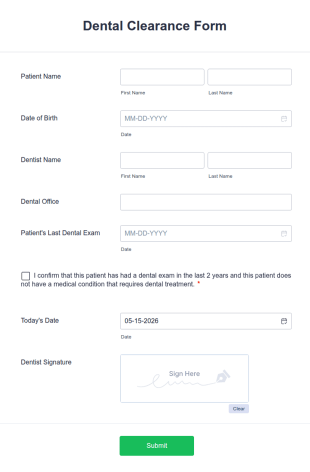
- Ask only for information the practice actually needs, such as name, phone number, and preferred contact method.
- State clearly what the person is requesting, such as an implant or cosmetic dentistry consultation.
- Keep the form short rather than asking patients to complete a full medical questionnaire.
- Follow up promptly after the form is submitted to answer questions and arrange an appointment.
- Connect each form to the relevant campaign so the practice can see which ads are generating qualified leads.
Create Local Awareness Video Campaigns
A local awareness campaign can help a dental clinic become familiar to people who live nearby, even when they are not ready to book yet. The goal is repeated visibility within the area the practice actually serves.
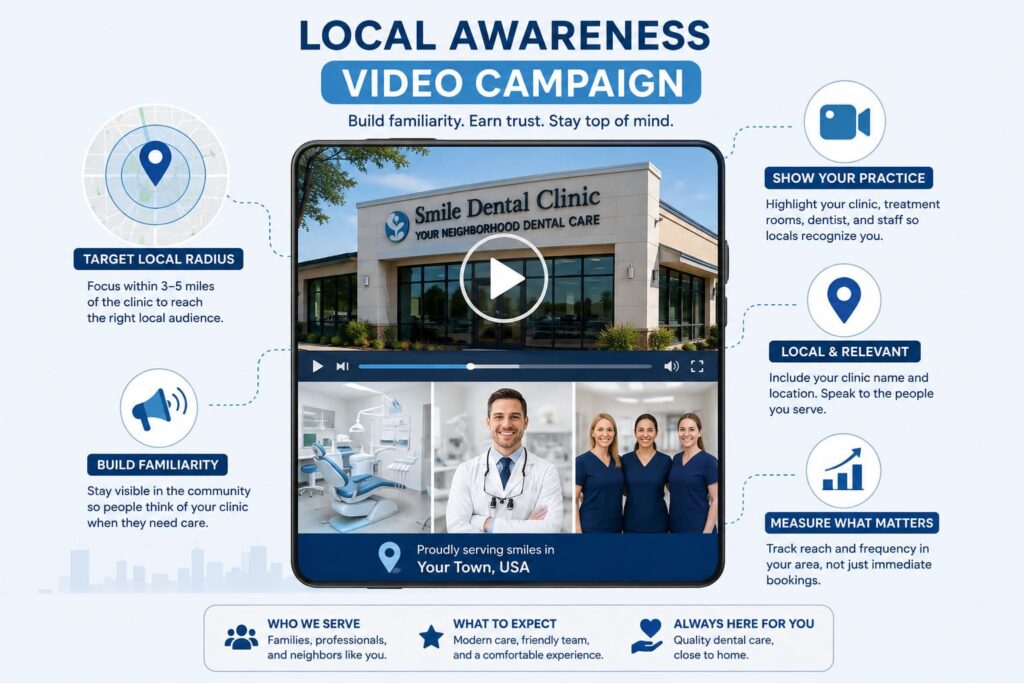
- Focus the audience within a practical radius, such as 3–5 miles, depending on the clinic’s location and patient base.
- Show the clinic exterior, treatment rooms, dentist, and staff so viewers can recognize the practice.
- Include the clinic name and location naturally in the video.
- Keep the message focused on who the clinic serves and what patients can expect.
- Measure reach and frequency in the target area rather than treating immediate bookings as the only campaign goal.
Reactivate Old Leads With Facebook Audiences
A dental practice may already have a valuable audience in its existing database. Instead of relying only on new prospects, use eligible customer data to reconnect with people who already know the practice.
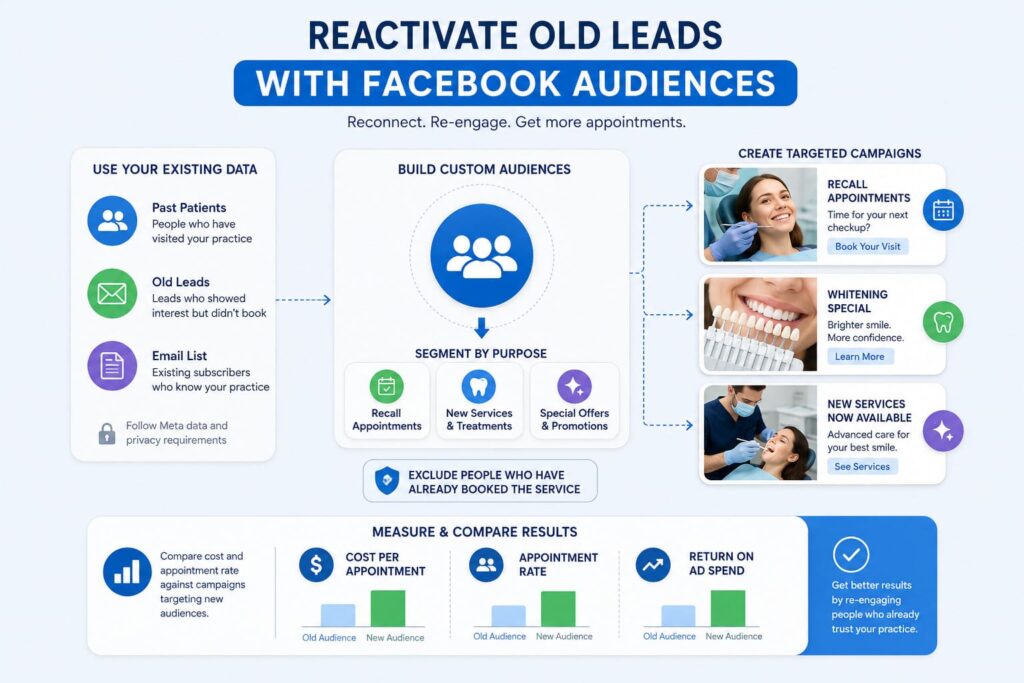
- Build custom audiences from past patients, old leads, or an existing email list, following Meta’s data and privacy requirements.
- Create separate campaigns based on the reason for re-engagement.
- Promote recall appointments to patients who may be due for another visit.
- Introduce whitening, checkups, or new services to relevant segments.
- Exclude people who have already booked the promoted service.
- Compare the cost and appointment rate against campaigns targeting new audiences.
Build Lookalike Audiences From Existing Patients
A lookalike audience helps Facebook find new people who share characteristics with an audience that already matters to the dental practice.
Start with a quality source rather than uploading every contact in the database:
- Patients: Use existing patients who have completed appointments.
- Leads: Build a source from people who previously submitted qualified inquiries.
- High-value cases: Create a source from patients who received higher-value treatments, where appropriate.
The quality of the source audience matters more than simply making it larger. A lookalike based on relevant patients gives Facebook a stronger signal about the type of person the practice wants to reach.
Facebook Ads Mistakes Dentists Should Avoid
Using Stock Photos
Stock images can make a dental practice look interchangeable with dozens of other clinics. Facebook users are more likely to recognize and trust ads that show the actual practice.
Use real photos of the dentist, team, clinic, and treatment environment. For patient results or testimonials, get proper permission before using them in paid ads.
Promoting Too Many Services
An ad covering implants, Invisalign, whitening, cleanings, and general dentistry can make the message difficult to follow.
Choose one main service or patient need for each campaign. This also makes it easier to match the creative, audience, and landing page.
Sending Leads to the Homepage
A person clicking an Invisalign ad should not have to search through the homepage to find Invisalign information.
Send the click directly to the relevant treatment page, consultation form, or booking option. The closer the destination matches the ad, the fewer steps the patient has to take.
Following Up Too Slowly
A Facebook lead can lose interest quickly if the practice waits too long to respond.
Set up a process for contacting new leads promptly. Confirm what they are interested in, answer basic questions, and give them a clear way to schedule a consultation or appointment.
Running One Creative Too Long
Even a strong dental ad can become less effective when the same creative is shown repeatedly to the same audience.
Rotate different images, videos, testimonials, and messages. Compare their results and replace creatives that stop generating quality leads.
Final Thoughts
Facebook can be a useful channel for dental practices that want to reach potential patients before they actively search for a dentist. The results depend on how well the ads match the treatment, audience, and patient’s next step.
If you need help putting these strategies into practice, Good Review Service can help with your Facebook advertising needs.