



To dominate the local Map Pack and drive a steady stream of nearby clients straight to your business in 2026, a basic profile setup is no longer enough. You need an active strategy that aligns with Google’s latest local algorithms-from perfecting your primary categories to mastering local keyword relevance. In this comprehensive guide, Good Review Service will walk you through the exact search engine optimization google my business blueprint required to outrank your competitors, maximize your local visibility, and convert casual searchers into loyal, paying customers.
What Is Google My Business SEO?
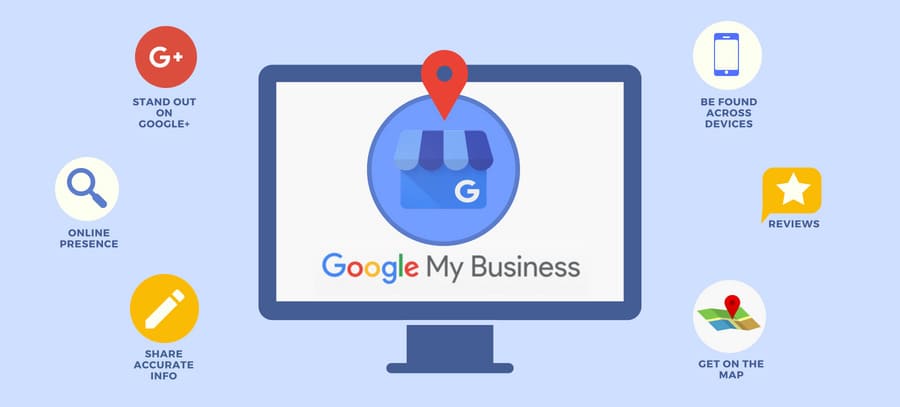
Google My Business SEO (now called Google Business Profile SEO) is the process of optimizing your business’s free Google listing to increase its visibility in local search results, specifically the Google Map Pack and Google Maps. It involves strategically updating your profile’s information, keywords, categories, and customer engagement signals so Google’s local algorithm ranks your business higher when nearby users search for your services.
How Google Ranks Businesses in Local Search

Google uses a distinct algorithm for local search that operates differently than its standard organic search algorithm. Instead of analyzing web page authority alone, the local algorithm focuses on three core pillars to determine which businesses appear in the Map Pack and Google Maps.
Understanding these three factors allows you to optimize your profile to align precisely with what Google is looking for.
Relevance: Relevance measures how well your Google Business Profile matches what a user is actively searching for. Google looks at your entire profile to see if your business is a direct answer to the user’s search query.
Distance: Distance calculates how far your physical business location is from the user at the exact moment they perform a search. If a user does not specify a location in their search (e.g., searching simply for “spa”), Google calculates the distance based on the location data available from their phone or IP address.
Prominence: Prominence refers to how well-known, trusted, and authoritative your business is in the offline and online world. Google measures prominence by looking at your business’s overall digital footprint across the web..
Setting Up and Verifying Your Google Business Profile
To build a solid foundation for your search engine optimization google my business strategy, you must claim ownership of your listing and complete Google’s strict verification process.
Create or Claim Your Listing
-
Go to
[google.com/business](https://google.com/business)and sign in with your official business Google account. -
Type your exact business name into the search bar. If your business already appears in the dropdown menu, select it to claim ownership. If it does not appear, click “Add your business to Google.”
Input Your Core Business Information (NAP Consistency)
Google demands absolute accuracy for your Name, Address, and Phone number (NAP). Any mismatch between this data and your website will drop your local rankings.
-
Business Name: Use your real-world business name. Do not stuff extra keywords into this field (e.g., use “Elite Dental Clinic”, not “Elite Dental Clinic – Best Dentist & Teeth Whitening”), as this violates Google’s terms and triggers automatic suspensions.
-
Business Category: Select a highly specific Primary Category (e.g., “Medical Spa” or “Cosmetic Dentist”). This category dictates up to 50% of your local search relevance. Add relevant secondary categories later to capture broader searches.
-
Location: Input your exact physical street address including suite numbers. If you operate a service-area business without a storefront (e.g., a mobile massage therapist), leave the physical address blank and explicitly define your delivery regions by city or zip code.
Choose and Complete Verification
Google requires physical or digital proof that your business actually operates at the stated address before your profile goes live in the Map Pack.
[Submit Profile] ──> [Google Selects Method] ──> [Video / Phone / Postcard] ──> [Profile Live]
-
Video Verification (Most Common): Google frequently requires a continuous, unedited smartphone video upload. You must film your street sign, your building exterior, your business setup, and proof of management (such as unlocking the front door or opening your point-of-sale system).
-
Phone or Email Verification: If eligible, Google sends a 6-digit text or email code to your official business contact points for instant activation.
-
Postcard Verification: Google mails a physical postcard containing a unique verification code to your address within 5 to 14 business days. Enter this code into your dashboard immediately upon arrival to finalize your setup.
Optimizing Your Google My Business Profile for SEO
Once verified, your profile must be meticulously optimized to signal maximum relevance and prominence to Google’s local algorithm. Follow this step-by-step optimization framework to outperform competing local listings.
Maximize Category Relevance
Google relies heavily on your selected categories to understand what search queries your business should answer.
-
Primary Category Selection: Choose the absolute closest match to your core business model. If you run a medical spa, select “Medical Spa” rather than a generic “Beauty Salon”. Your primary category carries the heaviest weight in local keyword matching.
-
Secondary Categories: Add up to 5–9 secondary categories to capture broader search intents. For a medical spa, relevant secondary categories include “Skin Care Clinic”, “Laser Hair Removal Service”, or “Facial Spa”. Avoid adding unrelated categories, as this dilutes your profile’s core relevance.
Craft an SEO-Driven Business Description
Your business description helps users understand your brand identity while allowing Google to index semantic entities related to your niche.
-
Character Utilization: Use the full 750-character limit allowed by Google.
-
Keyword Integration: Write natural, engaging copy that integrates your primary search engine optimization google my business keywords within the first 100–150 characters.
-
Content Focus: Clearly state what services you offer, the specific geographic neighborhoods you serve, and your unique value proposition. Do not include promotional links, URLs, or sales pitches like “50% off sale today,” as this violates Google’s editorial guidelines.
Complete the Services and Products Sections
Leaving these sections blank wastes valuable real estate where Google looks for contextual data.
-
Services Editor: Group your services into clean categories matching your secondary business categories. Write a dedicated, keyword-rich description (up to 300 characters) for every individual service explaining what it entails, who it is for, and the benefits.
-
Products Merchant Center: Even if you are a service-based business, use the Products feature to highlight your core packages, introductory offers, or physical retail items. Upload clear images, add fixed pricing, and link the “Call to Action” buttons directly to your website’s specific booking pages.
Maintain a Strict Business Attributes Profile
Attributes tell users and Google exactly what your physical business offers, helping you rank for specific filtered searches.
-
Update Regularly: Check your dashboard weekly for new attribute options provided by Google based on your category.
-
Select All Applicable Tags: Ensure you mark relevant operational attributes such as “Appointment required”, “Identifies as women-owned”, or accessibility tags like “Wheelchair accessible entrance”. When users filter local searches by these specific criteria, your optimized profile moves to the top.
Google My Business SEO Strategies That Improve Rankings
To outperform local competitors in 2026, you must look beyond basic profile setup and implement aggressive optimization strategies. Google’s local algorithm heavily prioritizes active engagement, content freshness, and behavioral signals.
Implement a Systematic Review Acquisition Funnel
Review velocity, volume, and diversity are critical prominence signals.
-
The Review Process: You must establish a consistent system to capture client feedback immediately after a transaction. Partnering with an automated reputation management tool like
-
Keyword-Rich Responses: Never leave a review unanswered. When responding to positive reviews, naturally inject your location and service names. For example: “Thank you for the great feedback! Our team loves providing the best laser hair removal service in downtown Chicago.” This builds semantic relevance for your search engine optimization google my business strategy.
Publish High-Frequency Local Updates
Google Posts keep your listing active and signal to the algorithm that your business is operational and highly engaging.
-
Post Types: Utilize “What’s New” posts for general updates, “Offer” posts to highlight seasonal promotions, and “Event” posts to drive traffic to specific dates.
-
Optimization Framework: Publish at least 1–2 posts per week. Use high-resolution, original images (avoid stock photos) and include a clear Call-to-Action (CTA) button like “Book Now” or “Learn More” linking directly to your dedicated landing pages.
Optimize Local Geo-Targeted Photos and Videos
Profiles with high volumes of user and owner photos receive significantly more direction requests and clicks than sparse profiles.
-
Upload Schedule: Add 3–5 new photos every week. Show real-world imagery: your building exterior, interior lobby, staff members, and real-time before-and-after results.
-
Video Integration: Upload short, 30-second smartphone clips showcasing your services in action. High-quality, native visual content increases user dwell time on your profile, which serves as a positive ranking signal to Google.
Manage the Q&A Section Proactively
The Questions & Answers section is entirely user-generated, meaning anyone can ask—and answer—questions on your listing.
-
Seed Your Own FAQs: You do not have to wait for customers to ask questions. You can safely populate this section yourself. Log into your dashboard, submit the top 5–10 questions your front desk receives daily, and then provide the authoritative answers from your business profile.
-
Incorporate Latent Semantic Keywords: Use this section to answer specific long-tail queries, such as: “Do you offer free parking for dental patients?” or “Is an appointment required for a skin consultation?” This directly captures long-tail voice search traffic.
Website Optimization for Google Business Profile SEO
Your physical website acts as the primary anchor for local rankings. Google’s algorithm constantly cross-references your site’s content with your business listing to verify that you are a legitimate, authoritative local option.
Connect Your Exact Coordinates with an Embedded Map
Instead of just typing out your address, you need to visually and technically prove your location to search crawlers. Go directly to Google Maps, search for your verified business name, and click “Share” to grab the iframe embed code. Drop this map directly into your contact page or website footer. By embedding the map pointing to your specific listing—rather than just a generic city or street—you bridge your physical storefront with your digital presence.
Speak the Algorithm’s Language Using Local Schema
Search engine spiders don’t read text the way humans do; they prefer structured data. You can eliminate any guesswork by deploying a JSON-LD LocalBusiness script (or specific tags like Dentist or NailSalon) directly into your website’s header.
Crucial Rule: The Name, Address, and Phone number (NAP) encoded within your schema script must perfectly mirror your Google Business Profile down to the exact comma and suite number.
Dominate Multiple Areas via Geo-Targeted Service Pages
If you serve multiple neighborhoods, districts, or cities, a single homepage won’t cut it.
-
Create dedicated landing pages for every primary target area.
-
Populate each page with unique, localized customer testimonials.
-
Mention hyper-local landmarks, regional driving directions, and area-specific services.
This prevents duplicate content issues while ensuring you build maximum relevance across your entire target radius.
Weave Localized Intent Keywords into On-Page Elements
To maximize your search engine optimization google my business efforts, your website copy needs clear geographic modifiers. Don’t just optimize for broad industry terms. Instead, strategically place phrases like “[Service] in [City Name]” or “[Niche] near me” inside your meta titles, H1 tags, and image alt text. This gives your site the contextual depth required to pass organic authority straight back to your local Map Pack listing.
Common Google My Business SEO Mistakes
Avoid these critical optimization errors to keep your profile from being penalized or losing its local ranking position.
Keyword Stuffing the Business Name
Adding extra keywords or locations to your official name field violates Google’s terms. Keep it clean: use “Elite Dental Clinic”, not “Elite Dental Clinic – Best Dentist & Teeth Whitening Chicago.” Doing this triggers automatic, immediate profile suspensions.
Inconsistent Business Information
Mismatched Name, Address, or Phone number (NAP) data across your website, social profiles, and directories confuses search crawlers. If Google cannot verify your exact, unified location data, it will drop your visibility in the local Map Pack.
Ignoring Reviews and Questions
Leaving user reviews unanswered or letting the Q&A section sit completely abandoned sends negative engagement signals to Google’s algorithm. Failing to address negative reviews or community questions directly hurts both your local authority and your customer conversion rates.
Using Low-Quality or Outdated Photos
Blurry, pixelated images or generic stock photography makes your business look untrustworthy. Google favors active accounts that upload fresh, real-world visual content showing actual staff, offices, and real-time operations.
Neglecting Regular Profile Updates
Treating your profile as a one-time setup is a massive mistake. If you fail to publish weekly Google Posts, update seasonal operating hours, or add new services, the algorithm will assume your business is inactive and prioritize your competitors.
Final Thoughts
Mastering search engine optimization google my business is no longer a set-and-forget task; it requires a consistent, active strategy. By aligning your profile with Google’s core algorithm pillars of relevance, distance, and prominence, you can effectively secure a dominant position in the local Map Pack. Avoiding common pitfalls like keyword stuffing, keeping your business information unified, and maintaining a high-quality visual presence will ensure your business remains the go-to choice for local searchers.
Let the experts handle the heavy lifting. Contact Good Review Service today for a premium, comprehensive Local SEO consultation, and watch your business transform into the most trusted name in your area.