



You gave a restaurant two stars after one rough night, the owner made it right, and now that rating feels unfair. How to edit a Google review: open Google Maps, go to Your contributions, then Reviews, select More next to the review, and choose Edit review. Change your stars, text, or photos, then post. Below are the exact steps for desktop, Android, and iPhone, plus what to do if the option is missing.
How to Edit a Google Review in 4 Steps
To edit a Google review, you must use the Google account that posted it.
1. Open Google Maps and sign in to the account that wrote the review.
2. Go to Your contributions, then Reviews. In the phone app, tap Contribute, then View your profile.
3. Select More next to the review, then Edit review.
4. Update your stars, text, or photos, and post the change.
Your review stays live while you edit it. Google also shows the date of your last edit as the review’s post date.
How to Edit Google Reviews on Desktop and Mobile
On a computer
1. Open Google Maps and sign in.
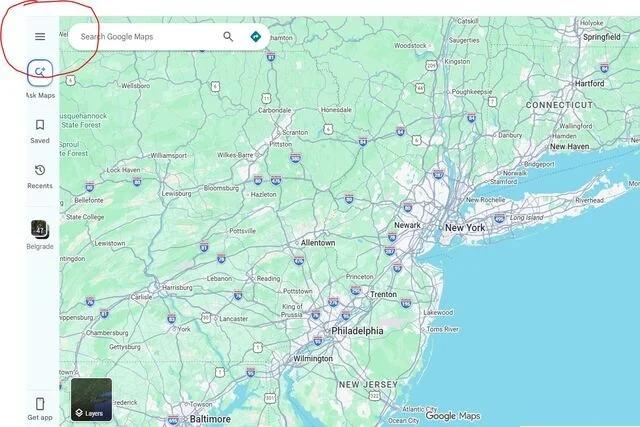
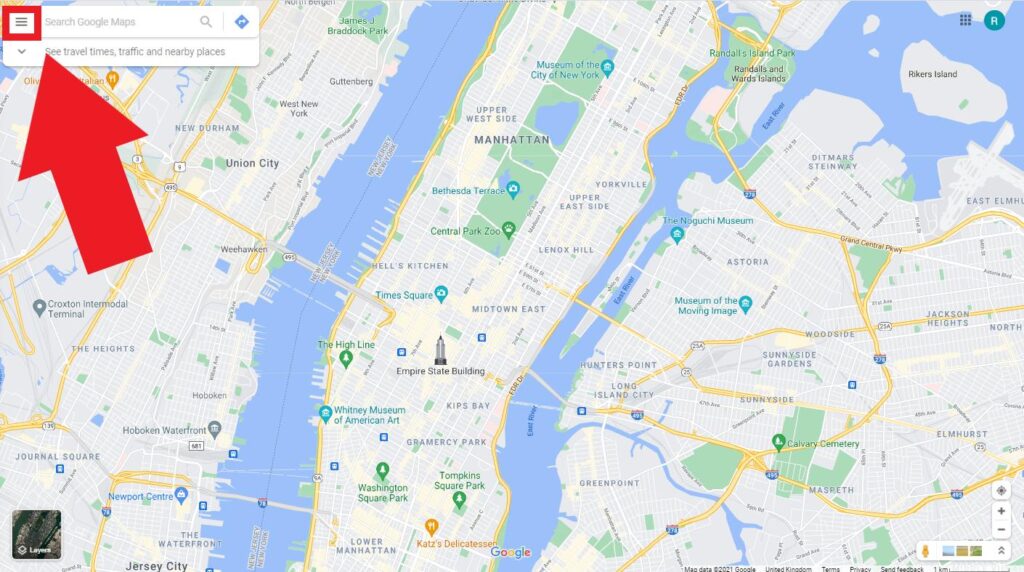
2. At the top left, click Menu.
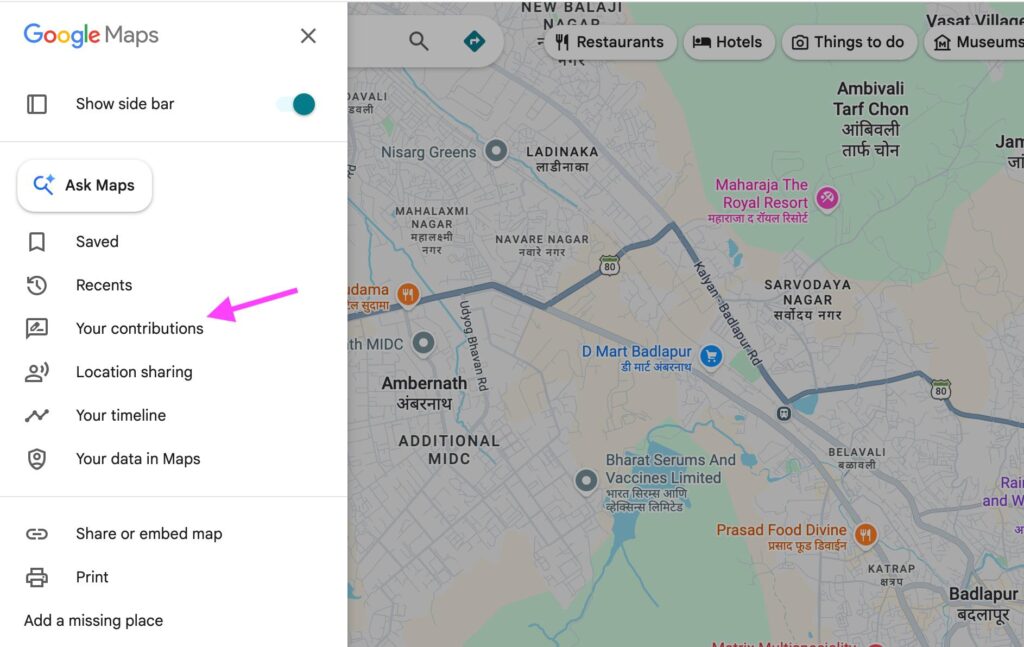
3. Click Your contributions, then Reviews.
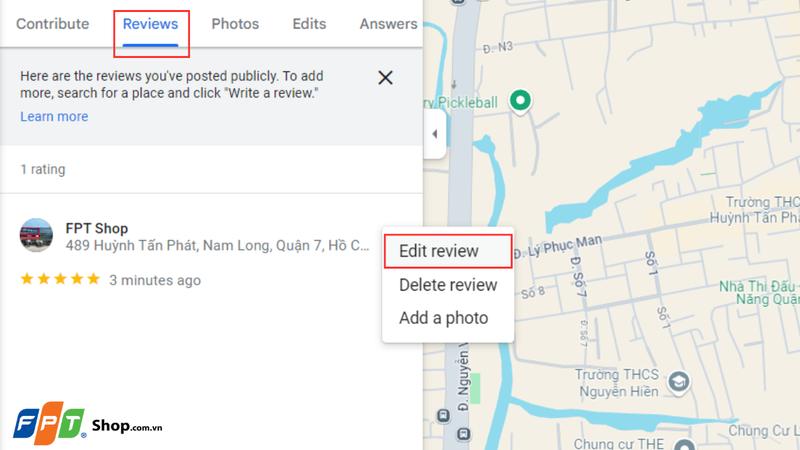
4. Next to the review, click More (three dots).
5. Select Edit review, make your changes, and post.
On Android or iPhone
If you’re searching how to edit my review on Google from a phone, the path runs through your profile:
1. Open the Google Maps app and sign in.
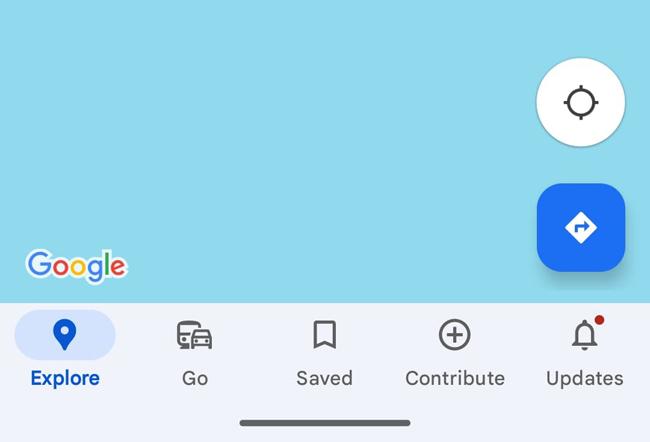
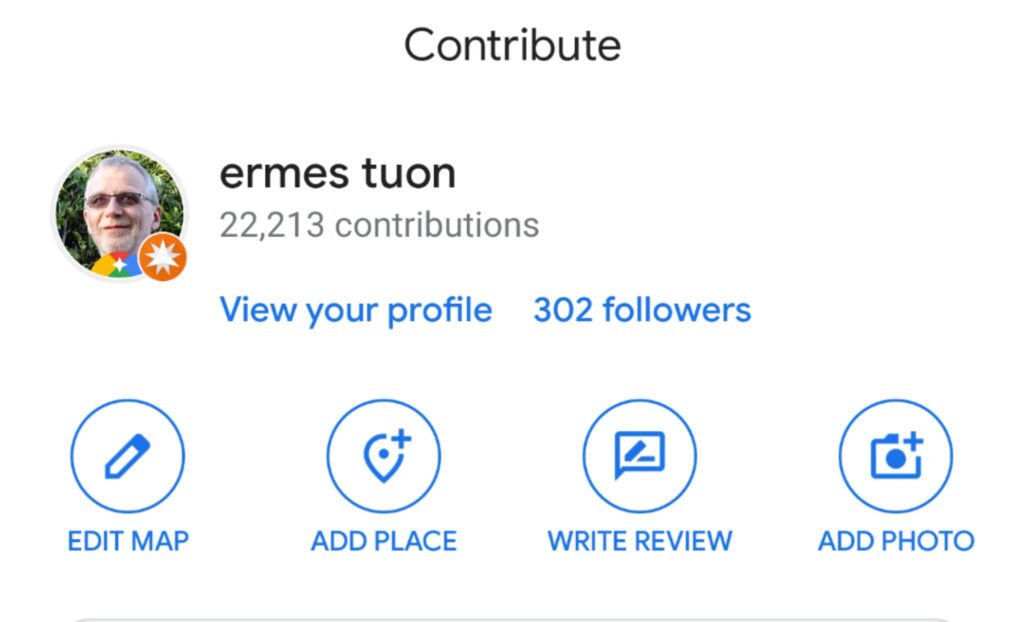
2. Tap Contribute, then View your profile.
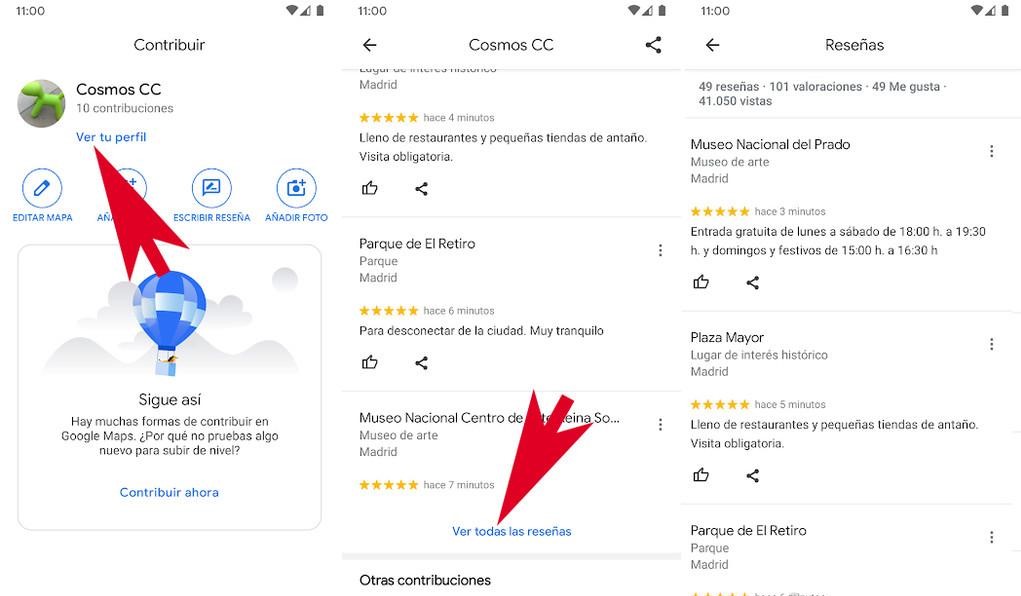
3. Scroll down and tap See all reviews.
4. Tap More next to the review.
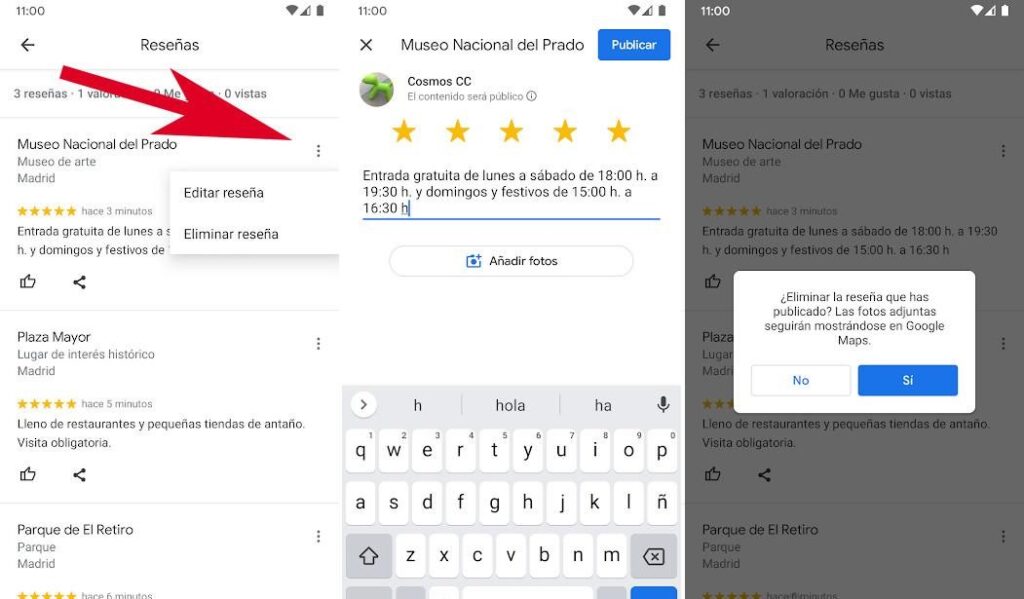
5. Select Edit review, update it, and post.

The iPhone and iPad flow is similar, but labels can vary by app version. If you can’t spot a tab, open your profile picture or use Google’s direct “Find your reviews” link, google.com/maps/contrib//reviews/.
What You Can Change, and What Happens After the Owner Replies
Wondering how to change reviews on Google without losing them? Editing lets you adjust three things after you post, according to Google:
- Star rating: raise or lower it as your view changes.
- Written text: fix a typo, add context, or cut a heated line.
- Photos: add new ones or remove ones you uploaded.
If the business already replied, your edit doesn’t erase the reply. It stays under your review, so you may see a recent review date next to an older owner response. Google may also mark the review as edited, which explains the timeline to readers.
Once you know how to edit a Google review, write the update well:
- Say what changed. “The manager called the next day and refunded the charge” helps readers more than “Updated: they were nice.”
- Fix anything inaccurate. Remove details that turned out to be wrong.
- Follow Google’s content policy. Leave out personal information, threats, and off-topic rants.
- Wait until you’re calm. The final text should reflect your view, not your mood that day.
Searching how to edit my Google review after a problem got resolved? Start by deciding what you want readers to know. The reviewer also gets a notification when an owner replies. Google says customers can still update their review after reading that reply. If the business fixed your problem, updating your rating is fair. If someone offers you cash or freebies to change it, say no, since Google’s policies bar paid reviews.
Can’t Edit a Google Review? Common Causes and Fixes
Followed how to edit a Google review and still not seeing the option? When you try to edit a review on Google, a failed Google review edit usually comes down to one of these reasons:
- You’re signed into the wrong account. Reviews belong to the account that posted them. Check your profile picture, switch accounts, and look again.
- The review never published, or Google removed it. Google removes reviews that break its content policy and doesn’t reinstate them. New reviews can also be delayed (see Google’s page on missing or delayed reviews). If you need to post again, our guide on how do you leave a review on google walks through it.
- You can’t find your contributions. Use the direct link above, or try desktop instead of the app.
- The app is out of date or glitchy. Update Google Maps, restart it, and try again.
Still stuck? Post in the Google Maps Help Community with a screenshot of what you see.
Edit or Delete Your Google Review?
Knowing how to edit a Google review doesn’t mean you should always edit. Use this quick guide.
| Choose edit when… | Choose delete when… |
|---|---|
| The business fixed the problem and you want a fairer rating | You reviewed the wrong business |
| You need to fix a typo or a wrong detail | You no longer want any review attached to your name |
| You want to add photos or more context | You posted by mistake |
Deleting removes the review and its stars from the business’s rating, so only do it when you’re sure. For the steps, see how to delete review google in our how to delete review google guide.
For Business Owners: You Can’t Edit a Customer’s Review
Only the person who wrote a review can edit it. As an owner, you can’t edit or directly delete it either. You have two tools instead: reply, or report it if it breaks Google’s rules.
- Reply. Verify your Business Profile, find the review, and select Reply. A calm, specific answer shows readers you listen.
- Report policy violations. In your Business Profile, choose Read reviews, then Report next to the review and pick a reason. Only reviews that violate Google’s policies qualify, not ones you simply dislike.
- Track the report. Google says evaluation typically takes several days. Check the status in the Reviews Management Tool.
- Appeal once if needed. If Google finds no violation, you can submit a one-time appeal for up to 10 reviews.
If you believe a review is unlawful, such as defamation, Google also accepts legal removal requests. An attorney can tell you whether that route fits your situation. For wording that works, read our guide on how to respond to negative reviews. A helpful reply may prompt the reviewer to update their rating, but never ask or pressure anyone to change it.
FAQ: Editing a Google Review
How do I edit a Google review after posting it?
Use the same steps. You can change the rating, text, and photos at any time, and the date of your latest edit shows as the review’s date.
Can a business owner edit my Google review?
No. Only you can edit it. Owners can reply to it or report it to Google if it violates the content policy.
Why isn’t my edited Google review showing?
Google doesn’t publish a fixed time, and reviews can be delayed or filtered. Wait a bit, check you’re on the right account, and read Google’s guidance on missing or delayed reviews.
Can I edit a Yelp review or Facebook Recommendation?
Generally yes, because the author controls their own post on both platforms. The steps differ, so check Yelp’s and Facebook’s help centers, and note that Yelp applies its own content guidelines.
How long does Google take to remove a flagged review?
Google says review evaluation typically takes several days. Only reviews that break its policies are removed.
Edit With Care, and Keep It Honest
That is how to edit a Google review in four quick steps: Your contributions, Reviews, More, Edit review. Make the change you believe is accurate, and leave the rest to the business to answer. Owners who can’t edit a review can still earn trust with a thoughtful reply.
Sources (checked November 11, 2026): Google Maps Help: add, edit, or delete reviews · Google Business Profile Help: report inappropriate reviews