



One unfair one-star review can sit at the top of your listing for months while new customers read it. How to remove bad reviews from Google My Business (now called Google Business Profile): you can’t delete them yourself, but you can flag any review that breaks Google’s content policy, and Google decides whether to take it down. Honest but harsh reviews stay, so you answer those instead. This guide shows which reviews qualify, the exact steps, and what to do when removal fails.
Can a Business Delete a Bad Google Review?
A business can’t delete or edit a customer’s Google review. You can flag a review that violates Google’s policies, and Google decides whether to remove it. Honest negative reviews stay, even unfair ones. For those, a professional reply and a steady flow of new reviews are your best tools.
Only two parties can remove a review: the person who wrote it, or Google. To remove a bad review from Google without the reviewer’s help, you need Google to act. If the reviewer is willing to take it down, the steps are in our guide on how to delete review google. Everything else in this article is about the second path, getting Google to act, and what to do when it doesn’t.
Which Reviews Qualify for Removal
Knowing how to take down a review on Google starts with the policy. Before you try to get a Google review removed, test it against the rules. Google’s Maps content policy says deliberately fake content, off-topic reviews, defamatory language, personal attacks, and unnecessary or incorrect content are violations. It also bars conflicts of interest, such as reviews from competitors or from people writing about a current or former employment experience.
| Usually qualifies | Usually stays |
|---|---|
| Spam, ads, or links to other businesses | A real customer’s harsh but honest experience |
| Reviews about something unrelated to your business | Complaints about price, wait times, or policies |
| Profanity, hate speech, or personal attacks | A review you think exaggerates what happened |
| A competitor’s or ex-employee’s review (with evidence) | A one-star left after you refused a refund |
| Reviews that threaten you unless you pay | A review with details you remember differently |
Google is blunt about the line. It asks owners not to report a review just because they disagree with it, and says it doesn’t get involved in disputes between businesses and customers. Google also generally removes a whole post, including photos, if any part breaks the rules. If someone demands money to stop posting bad reviews, report it through Google’s extortion scam form.
How to Remove Bad Reviews From Google My Business
From your Business Profile
1. Sign in with the Google account that manages your profile and open your Business Profile.
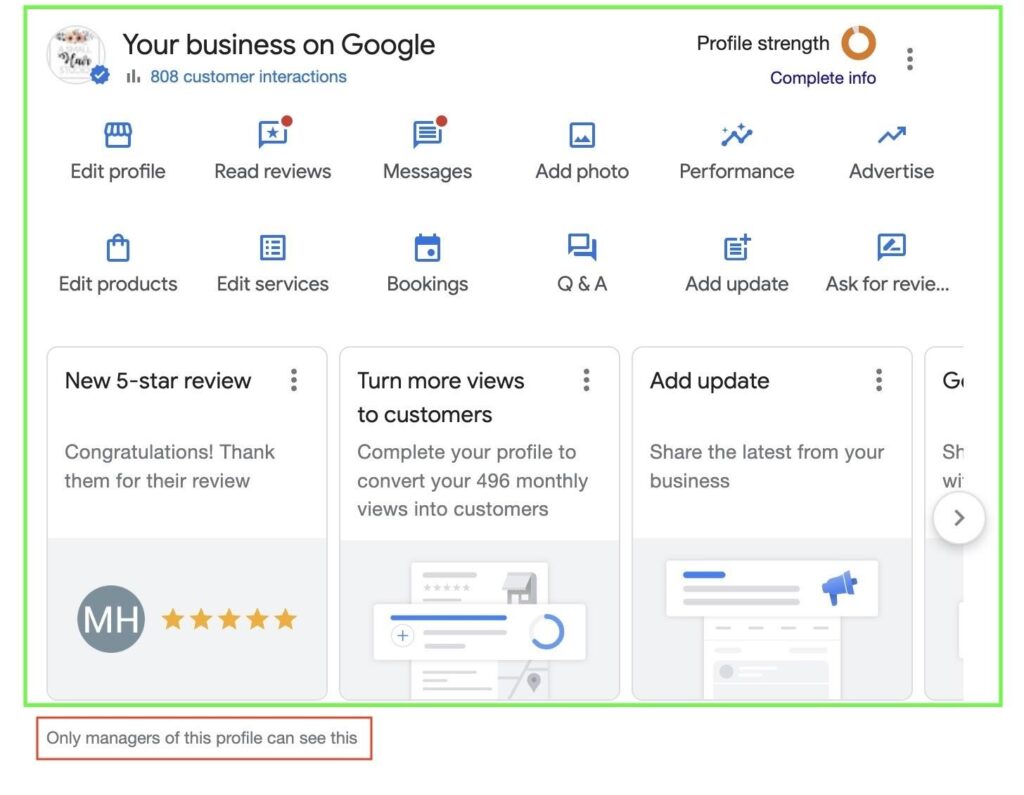
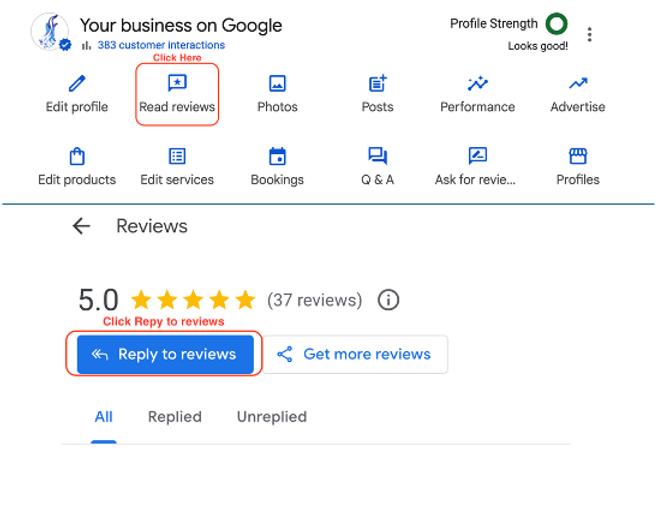
2. Select Read reviews.
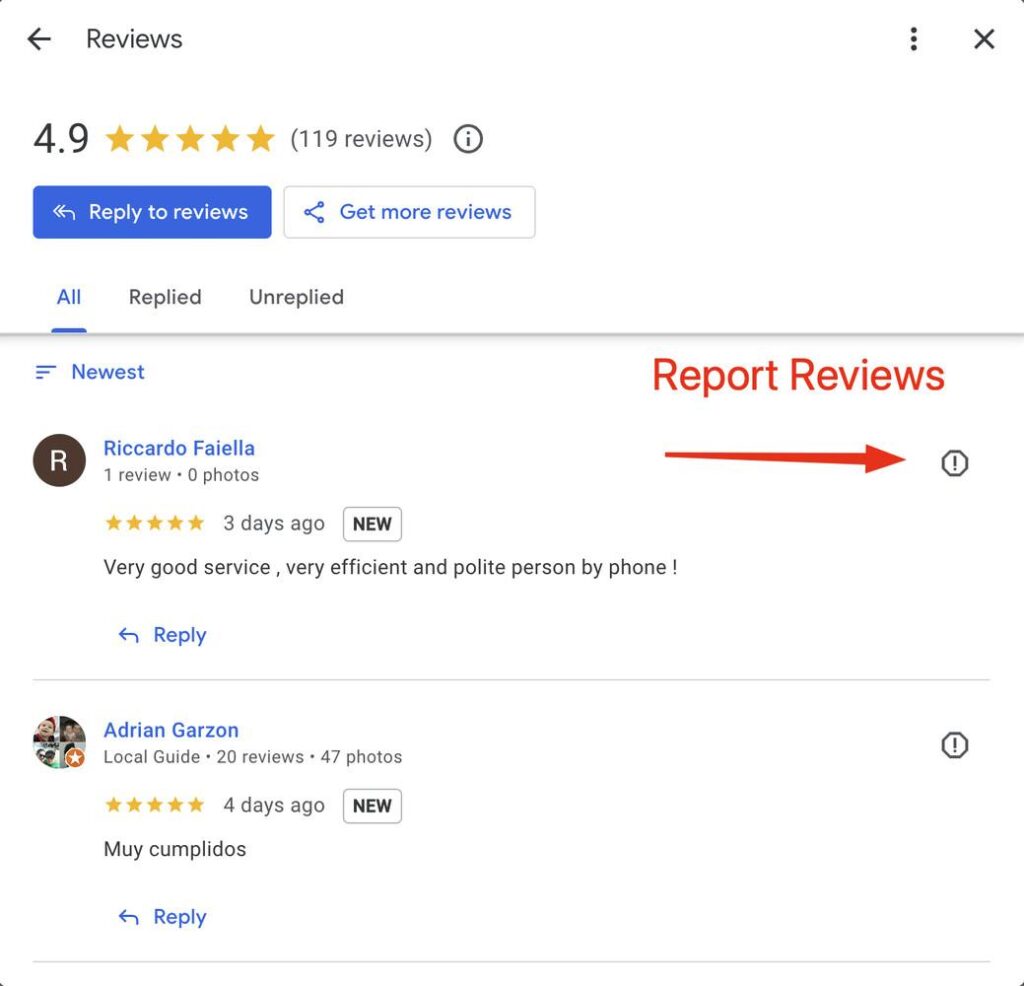
3. Next to the review, select Report (Google Maps may label it Flag as inappropriate).
4. Pick the reason that fits, such as spam or profanity.
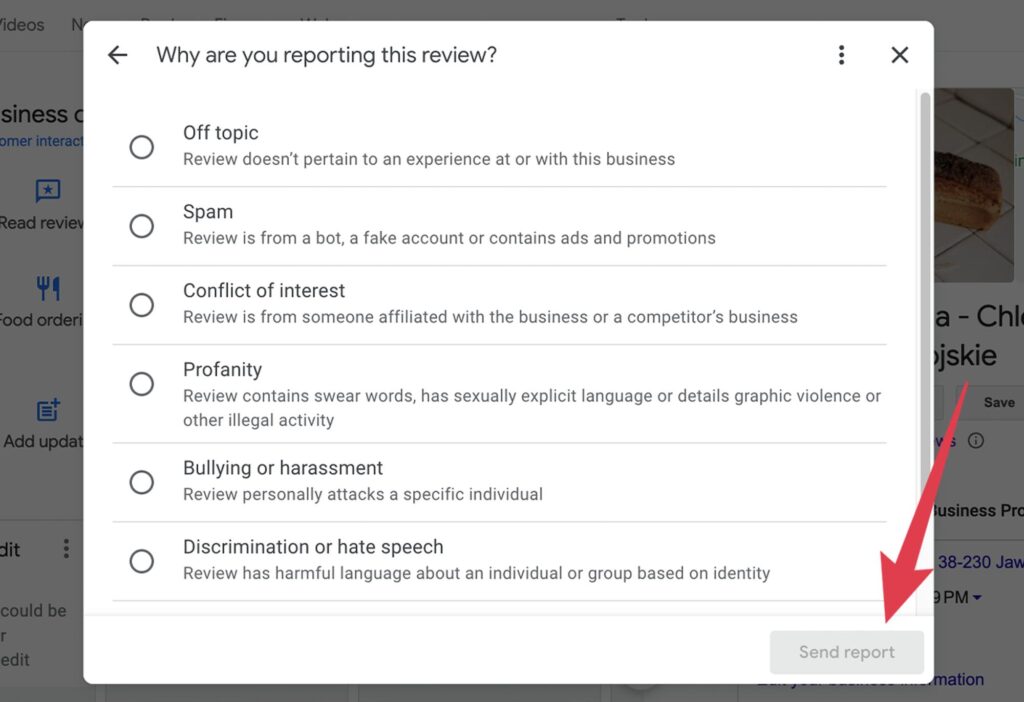
5. Select Send report.
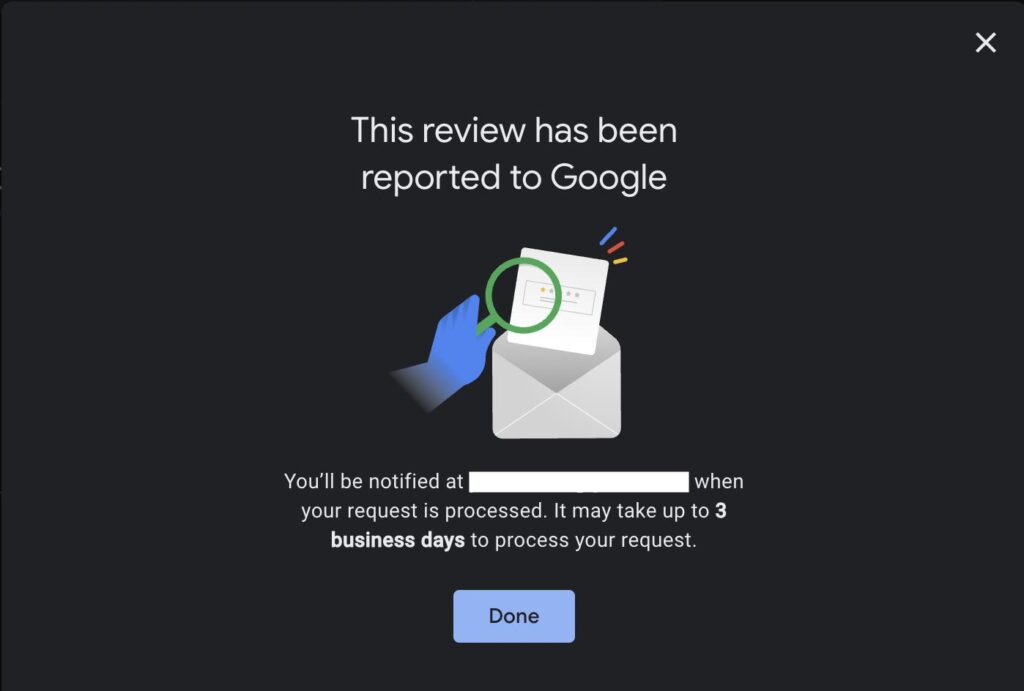
From the Reviews Management Tool
The tool lets you report reviews and track Google reviews removal in one place. Open it, confirm the email tied to your profile, choose your business, and select Report a new review for removal. Then select Report next to the review, choose a reason, and submit.
Timeline and appeals
Google says review evaluation typically takes several days, and nothing is guaranteed. Check the tool for one of three statuses:
- Decision pending: flagged but not evaluated yet.
- Report reviewed, no policy violation: the review stays unless you appeal.
- Escalated: your appeal is under review, and Google emails the final decision.
You get one appeal per review, and you can include up to 10 reviews in a single appeal. Explain factually which policy the review breaks. If Google’s automated spam filters wrongly removed a legitimate review of yours, contact Business Profile support.
If a review makes false factual claims that harm your business, Google also has a process for removal requests on legal grounds. That path often needs an attorney, and this guide offers general information only, not legal advice.
What to Do When Removal Fails
If you’re wondering how to get rid of bad reviews on Google when they don’t qualify, the honest answer is to answer them and outweigh them. Google itself notes that negative reviews can highlight areas to improve.
- Reply within a day or two. Stay calm, name the issue, and move the conversation offline. Our guide on how to respond to negative reviews has templates. Google notifies the reviewer when you reply, and they can update their review afterward.
- Fix the cause. If three reviews mention slow service, change the schedule, not just the reply.
- Collect more genuine reviews. Ask every happy customer, not only selected ones, and offer no rewards. See how to ask customers for reviews, and use Google’s own link or QR code tool.
- Report patterns. If a wave of suspicious reviews appears, flag them and tell Google. Google says it can temporarily disable new contributions during abuse.
Sample reply: “We’re sorry your visit fell short. That’s not the standard we aim for. Please call us at [number] so we can look into it and make it right.”
Can You Turn Off Google Reviews?
Looking for how to turn off Google reviews? There is no setting for it. Google offers no switch to hide the reviews section, stop new reviews, or delete negative reviews on Google for a business. The only exception is Google’s own temporary pause during abuse, which you can’t trigger on demand.
Beware of “workarounds.” Deleting your profile and creating a new one, or marking the business closed, costs you your reviews, rankings, and customers. Pressuring a reviewer to remove a post is risky too. The FTC’s rule on consumer reviews, effective October 21, 2024, bars using groundless legal threats, intimidation, or false accusations to get a review removed.
Review Removal Services to Avoid
Some companies promise to take down any bad review for a fee. Their methods often include fake accounts, mass reporting, made-up claims, or bogus legal letters. These tactics can get reviews removed and also get your profile restricted. The FTC can seek civil penalties of more than $50,000 per violation under its review rule. Walk away if a provider:
- Guarantees removal or names a deadline.
- Claims an inside contact at Google.
- Asks for your Google login or payment up front.
- Offers to post fake positive reviews to “balance” the bad ones.
Legitimate help follows Google’s reporting process and improves your reply and review habits. It never games the system.
Frequently Asked Questions
Does replying stop Google from removing a review?
No. Google checks the review against its policies whether or not you replied, so you can reply and report the same review.
Should I ask staff or friends to report the review too?
No. Extra reports don’t change the policy test, and organizing them can look like manipulation. Report it once yourself, then use the appeal if needed.
Why did my good reviews disappear?
Google’s automated spam detection sometimes removes legitimate reviews by mistake. Check Google’s page on missing or delayed reviews, then contact Business Profile support if they don’t return.
Do Yelp and Facebook work the same way?
Not exactly. Yelp follows its own content guidelines, and Facebook Recommendations have their own report tools. In each case, you can report policy violations but can’t simply delete a customer’s review.